Building the surfaces
A quick journey of creating 1 website, 2 native mobile apps, hundreds of recorded AI mistakes and moments of learning with 0 prior experience. This is as much a learning experience as a record of keeping things honest.
TL;DR
I am not a software programmer. At the start, I had never installed the tools developers use to make a website theme or an app. But I wanted to learn and build something new for myself that met multiple goals.
Through this learning experience, I got to work in
- systems like Microsoft's VS Code, Apple's Xcode, Google's Antigravity, Android Studio, GitHub
- AI models like Claude Opus, Claude Fable, Gemini 3.6/7/8 Flash, 3.1 Pro Preview, Ollama, LM Studio, Gemma 4 models like 26b-mlx
- app development programming languages like Swift and Kotlin
- web development technologies like JavaScript, CSS, Handlebars
- skills and agents
- CLI tools to automate mass changes
- and many more tools
The result:
- one website built on my own custom theme with multiple skins
- one iOS/iPadOS app built only in Swift
- one Android app built only in Kotlin with Material 3 Expressive
- many visible, hidden, and dormant features on each platform
Initially, I took the easiest path that folks who want a personal website would take. You can either use the default theme the website provider offers or buy a custom theme that comes with a few design choices that change the website’s look. These choices are more like toggles or text edits, so you can decide on visibility, but you can’t truly bring new features. Being perfectly reasonable with my time, I learnt how to customise a custom theme, and by the end of it, the theme carried about 1,900 documented lines of my changes across 19 of its files: 11 collection pages with their own address patterns, custom channel routes, a hand-built tags directory, overridden scripts. As with any purchased custom theme, all changes built on top of the base custom theme survive exactly one version upgrade, but I made mine survive because I logged every change. The upgrade was a four-way comparison of the old vanilla theme, the new vanilla theme, my modified copy, and the changelog. It still surfaced 7 modifications that hadn’t been written down. Custom styling had gone inline into templates because editing the source did nothing. Misbehaving vendor scripts could not be fixed, so I raced them with a listener that disarmed them before they fired. I knew I could sustain this catch-up through other means, but each instance was still inefficient.
Ultimately, as a tactical first step, I wanted my writing to live naturally on whatever surface a reader is holding: the web, an iPhone, an Android phone. I did not want one experience stretched across three screens. I wanted three surfaces, each built to its own platform’s recommendations and strengths, but all fed by one source. It seemed to me that this only works if I build the source and the structure the surfaces depend on. A theme of my own makes the website a base other things can stand on, and a base lets the benefits stack. Any feature the site gains, I can build them from the start itself such that the apps can inherit either the functionality or the intended benefit in another form, and the apps can rely on any rule the site enforces.
I also learn best by doing something I cannot yet do, and self-confidence built that way feels more ... confident. I had never built any of the three surfaces or used any of the AI tools towards that purpose in such completely unknown environments that require a certain discipline, so I would have to direct work I could not do myself.
What have been the results: a website theme of my own; a native iOS reader on the App Store; a native Android reader built and being tested. Across the three: 1,000+ commits, 130+ verified merges, 125+ tracked issues, about 53,000 lines of code, 16 written-up failure stories, and a ledger of 330+ recorded moments where the AI was wrong, spun, drifted or wasted my money. Almost none of the results came out of one prompt (even when most of my prompts were detailed and not conflicting); most features took several tries and some required experimenting with multiple versions or changing things for alignment. All this to say, it’s not one-shot vibe-coded.
Taking the path of least resistance was never the goal. For example - If I had wanted a shortcut, I could have stopped after building a standard theme across any of the three platforms with a basic light/dark toggle. But that wouldn’t have taught me how to decide between options when in an alien environment and besides, the site would have looked like most other websites.
Instead, I made deliberate choices that introduced complexity because I wanted to see how interdependencies are untangled and how benefits can be automated and compounded in messy environments. The impression of an incomplete build in some places doesn’t concern me too much as the work-in-progress is still entirely mine.
The real value of an exercise like this lies in the friction and in constantly seeing how systems thinking translates back to your own craft and core interests.
This post runs long because I wanted to be transparent about the reality of building your own digital spaces from near-scratch. It’s simply to show that building your own platforms isn’t as frictionless as it’s made out to be, especially for the general public. Despite the relentless hype suggesting AI has made this effortless for everyone, it is still challenging work when you are starting in a new technical field outside your depth. AI is undeniably helpful, but the overwhelming noise in the hype market often glosses over the actual technique and grind.
I’m satisfied that my main initial goal of getting these surfaces up and running is achieved, but I’m also clear-eyed about the rough edges and what I need to simplify and change, not just in the product but also in my process. To me, there are obvious things in both the site and the apps that need to be refined or even overhauled. But like any system, it will evolve with iteration.
Again, improvements through experiences compound over time, and there is a lot of merit in committing to building something for yourself and walking away with something functional, even if it’s unpolished. Pushing through the learning curve to build something real carries its own kind of value.
How to read this article
- Throughout this article, there are pockets/tables marked as
- ‘Tech · ’ containing numbers for readers who want some details
- ‘Reasoning · ’ containing a summary of decisions laid out plainly - To jump to a specific section,
- use the floating table of contents at the top if you are on the desktop
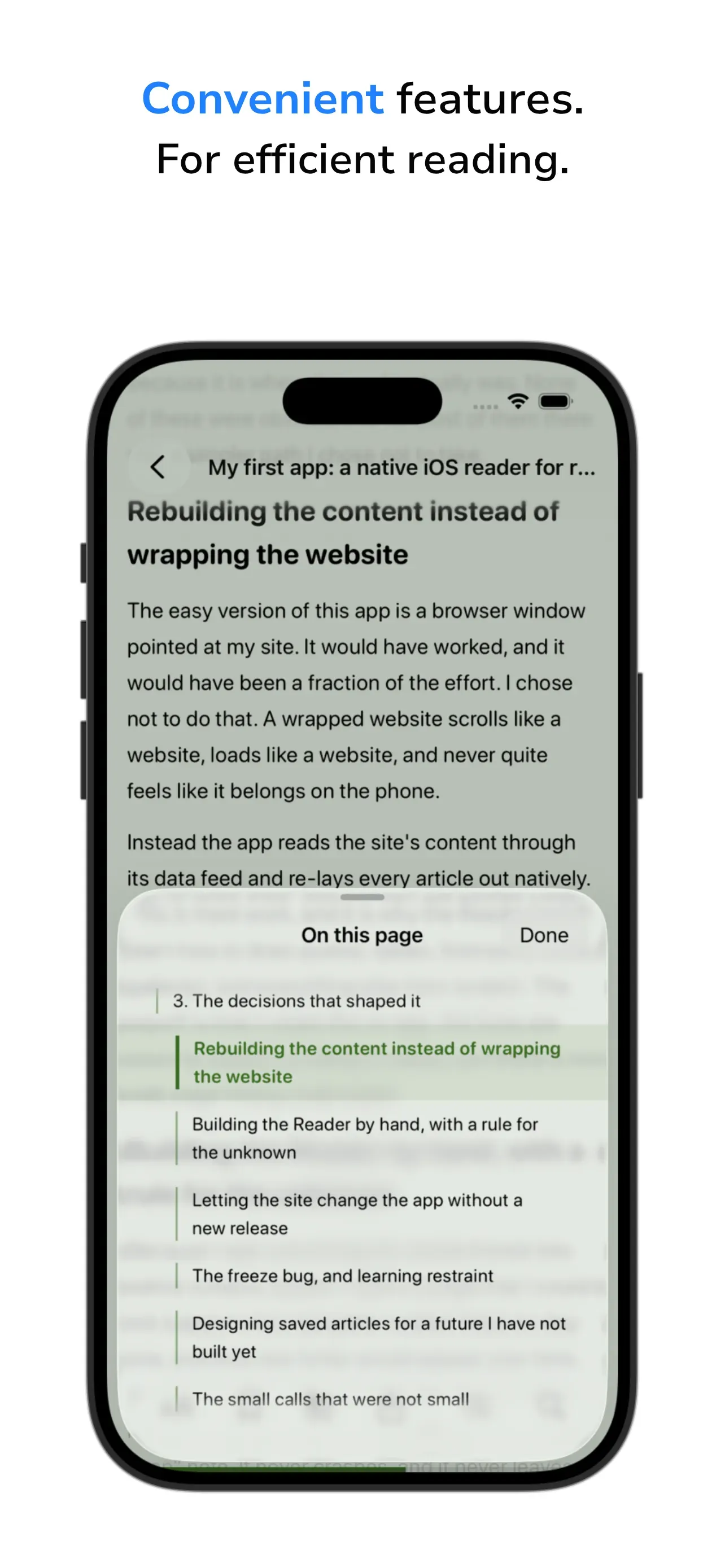
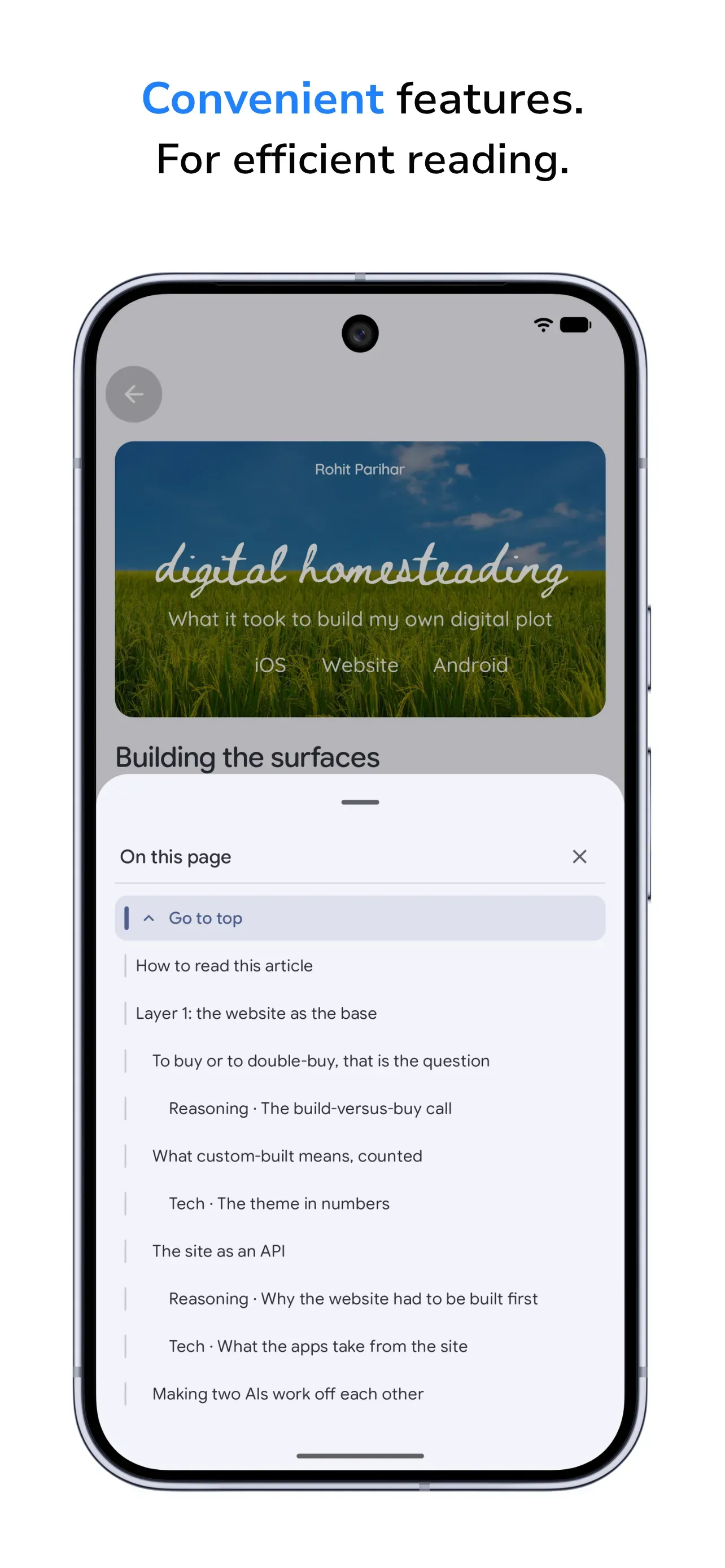
- use the floating table of contents icon in the iOS and Android apps
Layer 1: the website as the base
To buy or to double-buy, that is the question
Reasoning · The build-versus-buy call
Three recurring costs were showing up in the record of the commercial theme. The same would likely show up for you too, depending on how heavily you have customised the purchased theme.
- Every upgrade is also a re-customisation. When you update, you migrate in a way. When you are building features and need to update, you have to compare and document the connections and changes. Without a file-by-file log, each upgrade would become increasingly problematic.
- Every fix was working around the theme. Inline styling to bypass the vendor build. Listeners racing vendor scripts. Each clever fix is likely a thing the next upgrade could silently break.
- The ceiling being real. If the theme’s structure does not offer a feature, chances are that a new feature you introduce can cause conflicts or be incompatible with the current structure.
For anyone who wants to publish and never touch structure, buying a theme is right. Rebuilding makes sense only when the volume of customisation proves the theme’s constraints are the bottleneck.
Why did I buy the custom theme? Because I could explore and customise it. The initial intent was not to build my own. But it soon became clear that rebuilding the website from a blank state was the best way forward.
The rebuild started from Ghost Source, the open reference theme Ghost’s own team maintains. Phase 1 of the plan existed purely to reach feature parity, with the entire output being ‘the site does what it did before, on the Source foundation.’
What a custom-built website theme means, counted
Tech · The theme in numbers
| What | Count |
|---|---|
| Handlebars templates | 50 files, 3,600+ lines (13 page types, 37 reusable partials) |
| Hand-authored CSS | 14 files, 8,880+ lines (plus 3 per-skin colour files, 860 lines) |
| Hand-authored JavaScript | 12 files, 2,200+ lines |
| Total authored code | about 14,700+ lines across 76 files |
| Third-party browser libraries | 4 minified files inherited from Ghost Source, 0 added |
| Skins | 4 (Lawn, Paper, Canvas, Glass), 2 tones each, Glass dark-only |
| Section colour families in the single colour source | 19 |
| Contrast audit matrix | 4 skins x 2 tones x 13 colour families, WCAG-AA, 2 accepted exceptions that still fail the guard by design |
| Self-hosted font files | 8, about 135 KB total, 0 external font requests |
| External scripts loaded | 0 |
| Shipped theme package | about 630 KB |
| Verification tooling | 15 scripts: 10 regression guards, 3 colour generators, 1 shared colour table, 1 parity snapshot |
| Heaviest file | screen.css, 5,030+ lines |
The structure runs on one rule. Everything published flows into one of the channels and sections plus a standalone area, and placement is decided by the first real tag on a post. Posts that fit no named section group under a General tab for their channel. Most of that structure is deliberately invisible right now: when the site went public, I removed the unlaunched sections from routing, and each one switches on later by a written launch procedure.
Ghost’s editor is deliberately minimal and its stock answer to anything beyond the basics seemed to be that you cannot or you have to inject third-party code. I wanted neither, so the theme adds reading features, some of which I have listed below:
- tooltips with plain text or with GIFs or with both,
- footnotes,
- image-on-word-click,
- a table of contents built from headings,
- tables that fit the page,
- media toggles
To make it easier for users to zip around long-form content such as this article, I built the table of contents in the breadcrumbs bar at the top. To jump to other articles, I built a list of the posts in the active section as well. I did this so I could navigate to different sections of the article or to other articles with one click.
A related-posts engine replaced Ghost’s built-in “read more” block, which was showing the 4 newest posts regardless of topic. Mine scores candidates by rare shared tags and needs no external service.
Four different visual identities hang off one set of templates. Hovering a skin in the switcher previews it live across the whole page and a click commits. A fifth combination, Glass in light mode, is also built, reviewed across 6 renders of 3 directions on real saved pages, and shelved as dormant because I couldn’t see the point of spending more time figuring out the design in light mode, because frosted glass requires more changes than I had the time for. It’s still something I want to do in the future once I map out the design in a more scalable way by simplifying the colour scheme.
The site as an API
Reasoning · Why the website had to be built first
The apps hold no content and metadata of their own. Everything they show is fetched from the site. That is how it works mechanically. But beyond that, I shaped the site so I could shape the taxonomy and the interface of the two apps. The benefit is a list of things I can change in the apps without shipping an app release.
Tech · What the apps take from the site
| Mechanism | Count |
|---|---|
| Published structure page both apps parse to build Browse | 1, a stable but flexible production dependency |
| Surfaces editable from the site with zero app releases | 11+ (Browse sections, post placement, orphan grouping, featured rail, home hero, status line, reading-list shelves, About page, reading themes, new topics, every word of every article) |
| Content contracts designed to survive the API trip | 6+ (tooltip, footnote, image-on-click, table of contents, tables, code snippets) |
| Theme CSS or JavaScript that runs inside an app | 0 |
| Shared colour table feeding the skins, the contrast audit, and both apps’ section accents | 1 file |
| Skins available in the apps | 0 (web-only by design; the apps take content and structure, not pixels) |
Making two AIs work off each other
The custom website theme was built through two AI systems working in one repository: Claude Code inside VS Code, and Gemini inside Google’s Antigravity. They had no shared chat, only shared files. So, I had to design the loop between them after the first week showed me what happened without one. The reason was to obviously learn how to work on the same project with different AI in different IDEs but also to sidestep the usage limits I was hitting on Claude Pro $20 plans. Not much point upgrading to Max or switching to APIs when the usage is just hovering ~10% above the limits.
Tech · The cross-review loop
- 7 audit files in the archive record the two AIs auditing the old site and then reviewing each other’s reconciliation. Stopping rule written into the record: after 2 cross-reviews, no further rounds, I had to answer emerging decision questions.
- Every Antigravity task got a pre-flight review by Claude before build and a gate review after. Gemini Flash in Antigravity was really fast at executing tactical pieces of work. Claude Opus was better at ensuring Gemini met the goal by mostly following the directions and then it stitched up the documentation. Also, Gemini and Claude differed in what they looked at. So, two pair of eyes seemed better to me. For example: a pre-flight review targeted structures and filenames from the commercial theme that do not exist in Source. It was RETURNed with 4 must-fix and 6 recommended items before approval on round 2.
- One commit in the history is a RETURN verdict naming 2 defects. A gate that said “no rebuild needed” shipped a stale built stylesheet, so the new font rendered on 2 logo elements and nowhere else; the standing principles gained a rule that freshness is proven by grepping the built file, not by timestamp.
- Two AIs running git in one working directory swapped each other’s HEAD mid-session. Rule since then: one tool touches the working tree at a time, and Antigravity runs no git operations at all.
- Antigravity’s sidebar task added about 100
!importantdeclarations against the written principle. Accepted as localised debt, in writing, rather than hidden. - The reading-enrichment feature’s first pass cost about 1.1 million tokens because review packages bundled minified build output and source maps (about 1.9 MB per reviewer) and every task ran an implement-review-fix-review loop on a mostly verbatim port. Result: 13 unmerged commits and 6 issues I found on the live site. The fresh session was told not to re-investigate, to fix specific things in context, and to exclude map files from every review diff.
Reasoning · What the loop bought
Neither AI was reliable enough to leave alone. Each caught things the other missed: Claude Opus caught Gemini in Antigravity building against a theme that no longer existed; Antigravity’s diagnosis found the cause of a tint bug Claude Opus had chased for 3 sessions with 2 different delivery mechanisms. It cost review rounds and tokens. In return, defects were caught before the live site, and the record keeps the rejected option next to the chosen one.
Numbers · While building the website
- 360+ commits,
- 55+ verified merges,
- 6.6 commits per merge,
- largest day 41 commits
- 14 GitHub issues (8 closed, 6 open)
- 105+ commits touched documentation only (29% of all commits), against 56 feature and 50 fix commits.
- About 150 numbered decisions across about 30 lettered series.
- 150+ Markdown files in the repository, about 261,000 words across 26,000+ lines; the docs folder alone is 135 files, 24,500+ lines. Documentation to code ratio about 1.7 to 1. 5 branches, 1 checkpoint tag. 30 commits mention a revert, rollback, reset or removal (8.2%). 15 commits in 9 abandoned chains are unreachable from any branch. Median commit: 3 files, 40+ lines added.
Boring! Documentation is extensive but remember, I was working in programming languages without knowing them and I was spotting quite a few instances of both AIs blindly running past regression mistakes. Noticing these things while being on Opus and Gemini Pro didn’t help my confidence too. But takeaway from all this is that I now know how to avoid this classic case of heavy documentation.
Layer 2: iOS, the first app on the base
Rebuild or wrap
There is a shortcut for turning a website into an app: put the site in a plain window with no address bar and ship it. It is fast and it technically works. I wanted the features on the website to exist on the phone as features, so the app is a translator. It asks the site for the raw content of each article and rebuilds it from the phone’s own native building blocks. That is why it can control typography, store rebuilt articles on the device, open instantly with no connection, and return you to the paragraph you left.
The price is that the app had to be taught every kind of content my writing contains. About 20 distinct content types, each a small feature of its own. The reading engine and the reading screen together are over 5,000 lines, roughly a third of the app, concentrated in 2 files. I was told by all AIs that a wrapped website for an app would have needed almost none of it.
Reasoning · The rule for the unknown
Rebuilding content by hand meant accepting that I could not support everything on day one, and that the site will mostly outlive any version of the app. So one rule was written before the first content type was built: anything the app does not recognise renders as a small “coming soon” note, never a crash or a blank. That rule let me ship the reader in stages, one content type at a time. I set the fallback first and built features behind it, the same way I phased the website.
What the iOS app does, counted
Tech · The iOS app in numbers
| What | Count |
|---|---|
| Swift | 15,600+ lines across 51 files |
| Outside libraries | 2 (one reads article structure, one draws vector images), both small and single-purpose, both fully Swift |
| Effort split | Screens 10 files, about 6,900 lines; components 18 files, about 3,300; reader engine 4 files, about 3,000; services 10 files, about 1,600; models 6 files, about 750 |
| Heaviest files | article renderer about 2,570 lines; reading screen about 2,550 |
| Content types rendered natively | about 20, plus the coming-soon fallback |
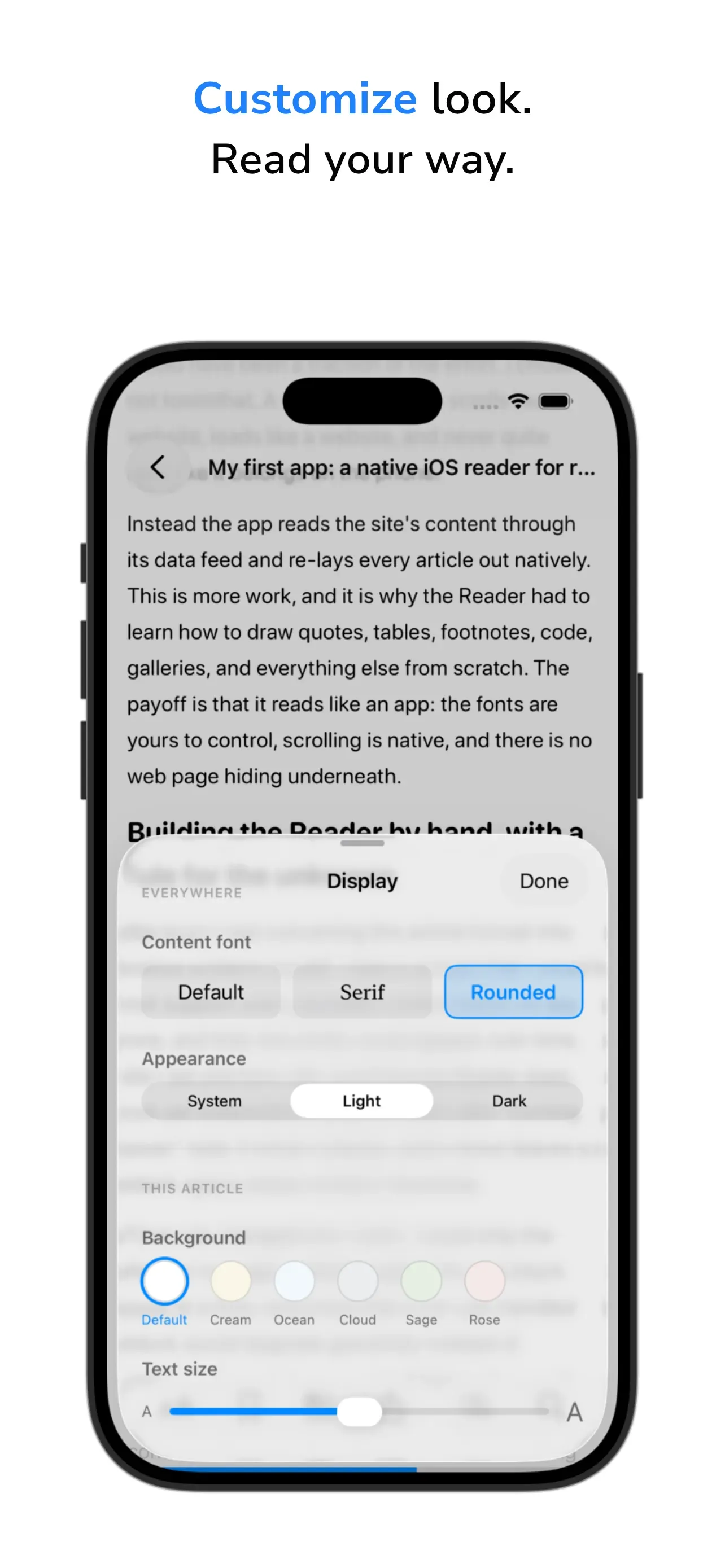
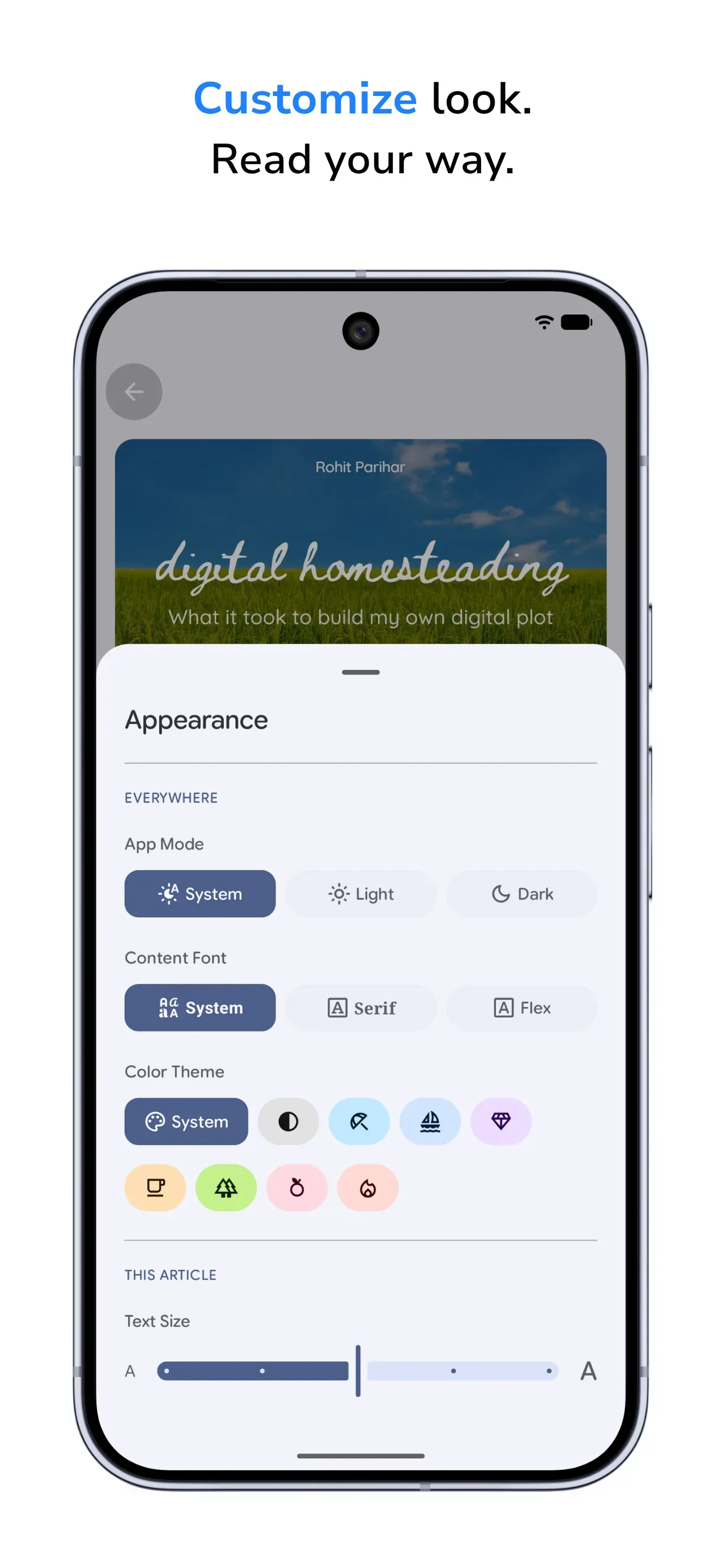
| Reading themes and fonts | 3 themes, 3 content fonts, continuous text size |
| Surfaces editable from the site without a release | about 6 |
| Size | 1 MB of code, 7.9 MB on the App Store |
| Devices tested | 2 (an iPhone and an iPad; one universal app, macOS capable) |
| Third-party analytics or accounts | 0 |
| Language mode | Swift 6, the strictest available, adopted late in the build |
Some of the main things you’ll notice first are:
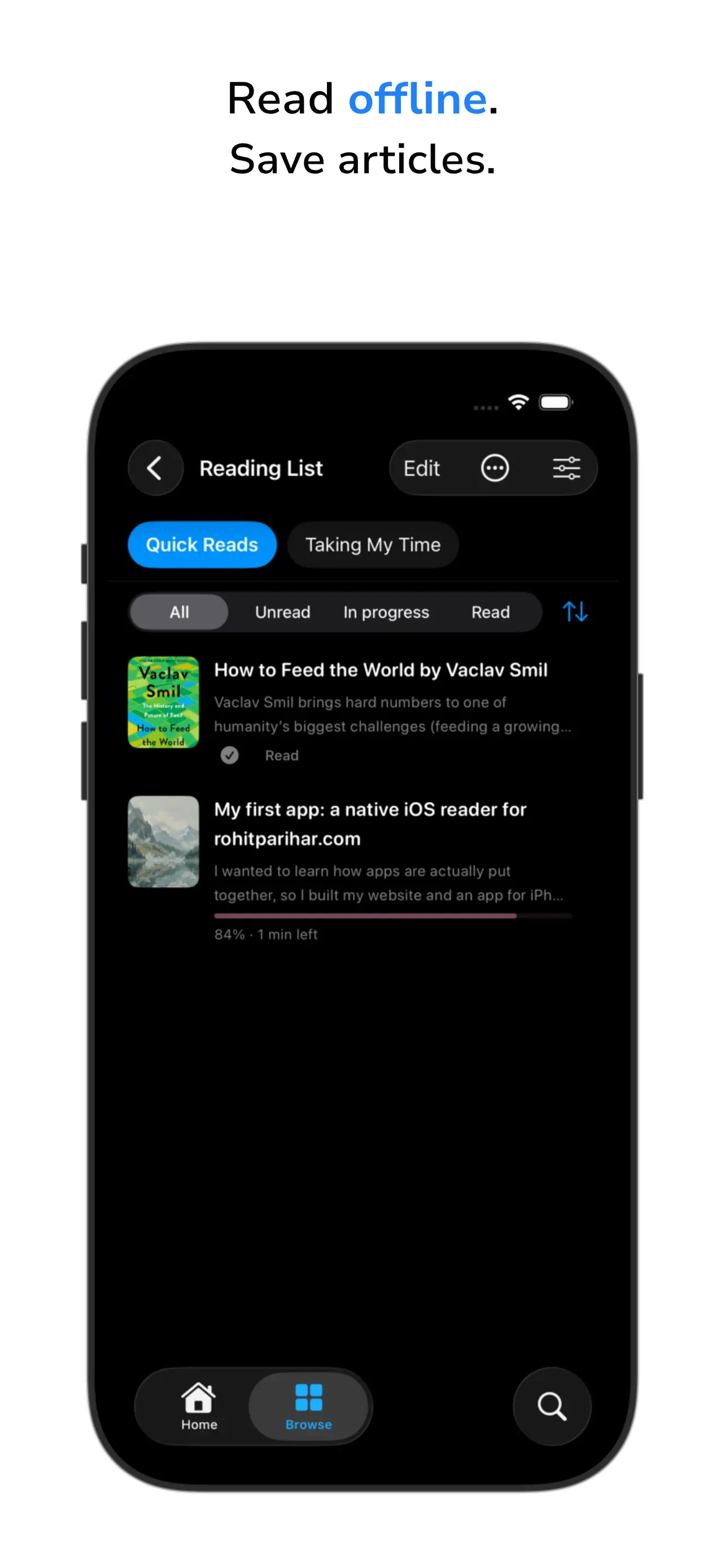
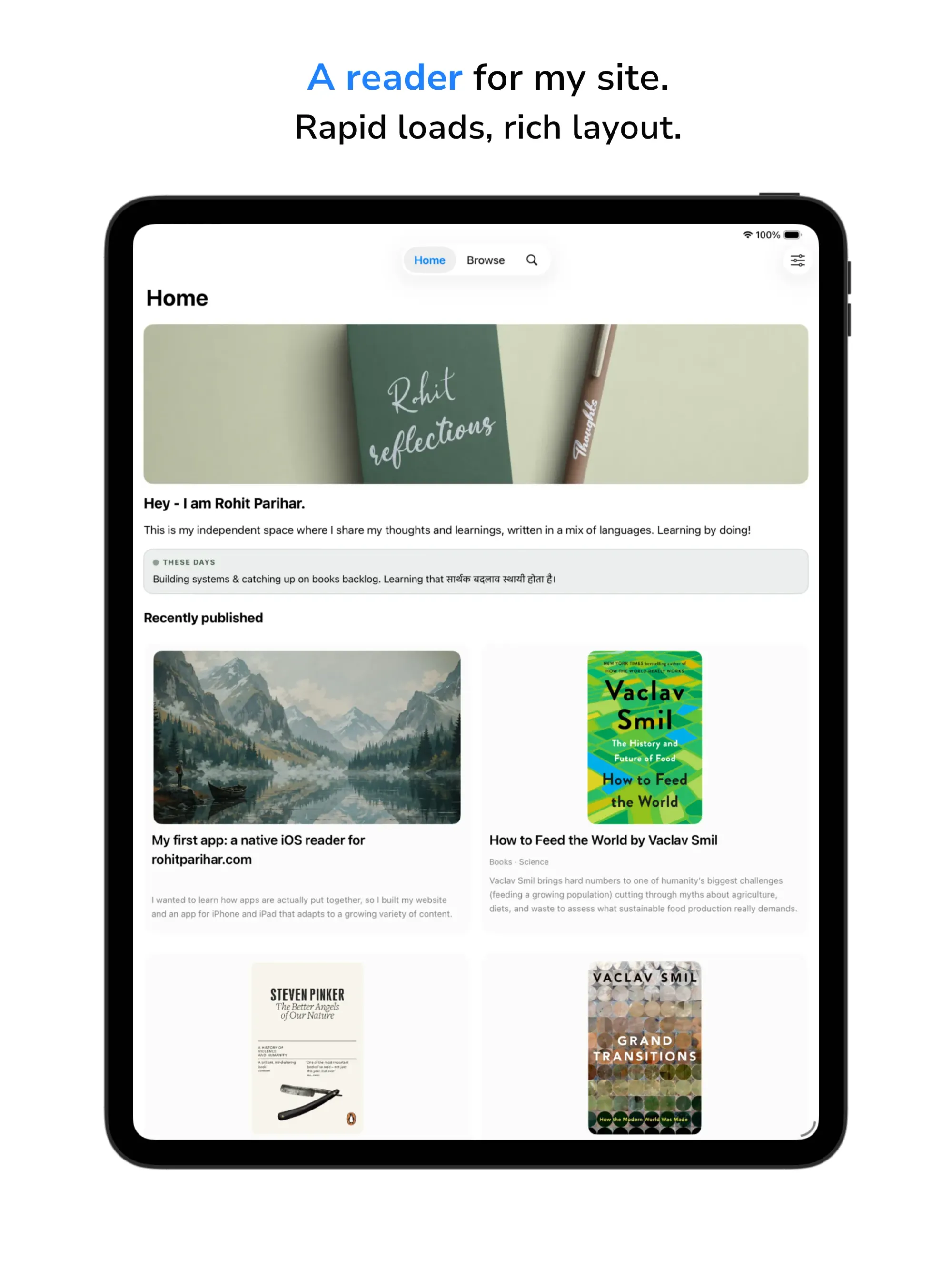
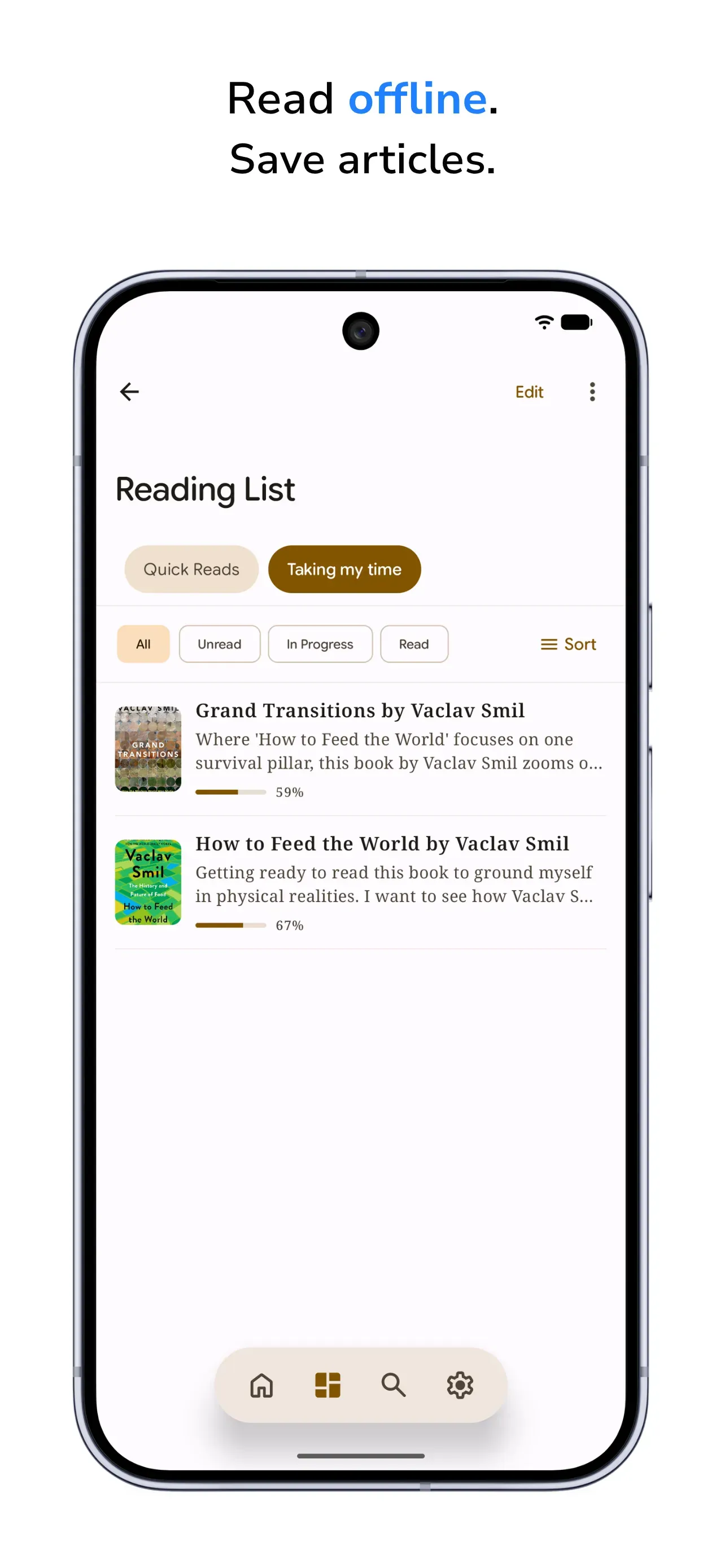
- Home is a curated start: a hero card, a one-line status (both controlled from the website), a Continue Reading deck, recent posts, a books shelf with reading-status filters, and one older post per day from the archive.
- Browse mirrors the website’s structure.
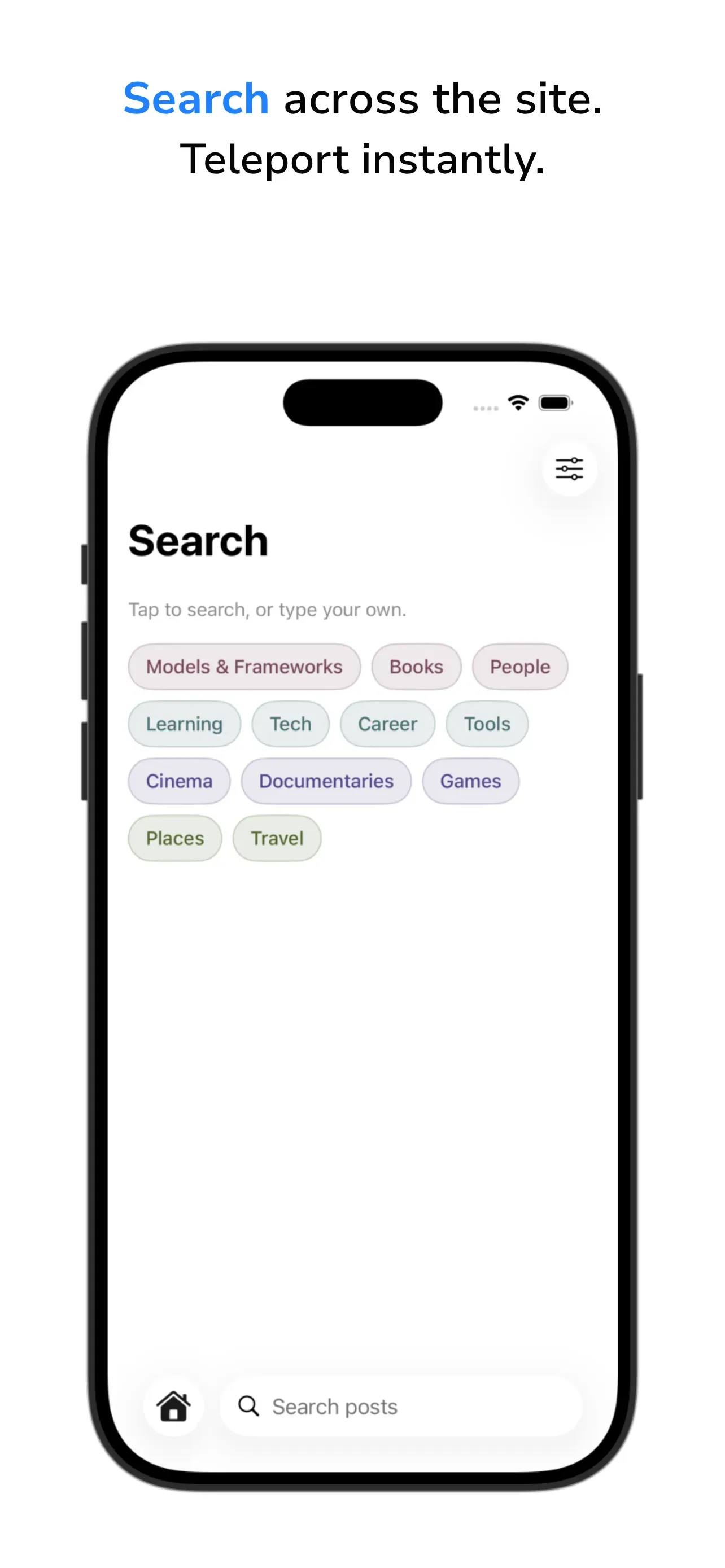
- Search covers the whole site offline once it has built its index, and tapping a match opens the article scrolled to that paragraph.
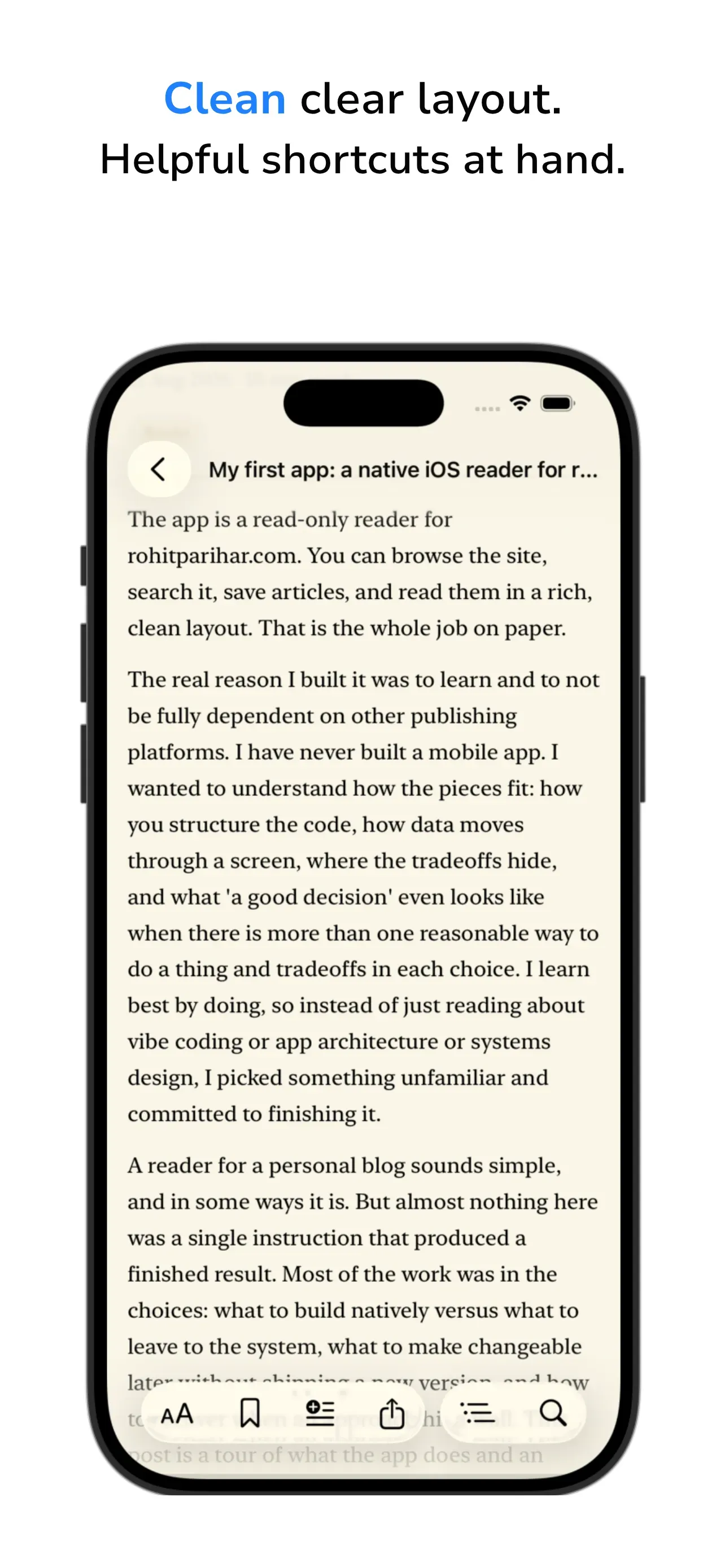
Below is a snapshot of the app in different colour schemes.
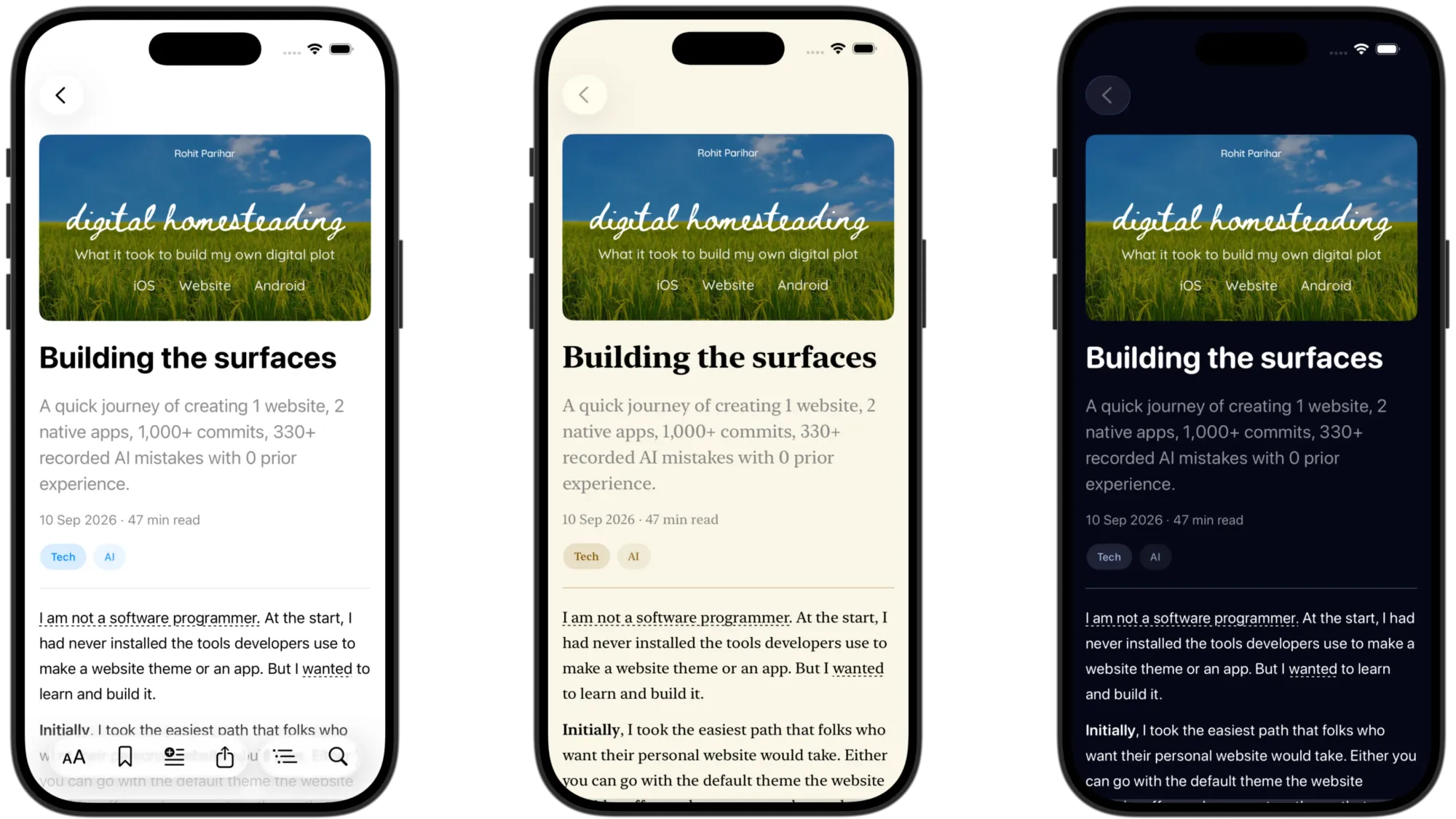
I haven’t listed all the iOS app features but there are several, with many appearing only when they are needed, such as quote sharing that splits a long-pressed paragraph into sentences, allowing you to control and see the selection and look in the card preview. Admittedly, a bit of a narcissistic feature, but it was still interesting to direct the AI as both Claude and Gemini struggled to code this in the two apps.
The system around the AI for the iOS app
The app was built with Claude Code running inside Xcode. The AI practically doesn’t have a reliable usable memory between sessions: the assistant that spent an afternoon learning why a screen freezes or why you took certain decisions to avoid side effects wakes up next time to confidently ignore or revert those having no context of the reasons. I had no expertise to fall back on, so I built a rudimentary structure to control context, adding a few more after things went wrong.
Tech · The working structures, measured at launch
| Structure | What it is | Size |
|---|---|---|
| Briefing file | Read automatically at every session start; the app, where the 6 detailed documents live, the 5 rules that never break | 430+ words |
| Persistent memory | A folder that survives the conversation, with an index in a strict one-line-per-fact format | 17 files, 31,100+ words; index 4,000 words |
| Ship log | Written at every merge: what shipped, what was rejected, a KEY LESSONS section | about 20,800 words; "KEY LESSON" appears 55 times |
| Work diary | Appended after every substantial request: Asked, Done, Notes | about 43,800 words, 109 entries; the file was touched by 81 commits |
| Tickets used as a decision log | Summary, user experience, approach checked against code, out-of-scope, tradeoffs, acceptance criteria | 110+ issues: 75+ closed, 30+ open as the visible backlog |
| Status board | Every planned capability as a checkbox; earned "single source of truth" after a drift audit found 5 tickets behind reality | about 2,200 words |
| Architecture document | How the app works inside, with a "do NOT re-attempt" list | about 11,400 words; 10 do-not-re-attempt entries |
| Two procedures | How to start work (research before code) and how to finish it (a 9-step sign-off triggered by one phrase) | about 800 words each |
| Rulebook | 5 non-negotiables in the briefing, 7 standing instructions in memory, 10 do-not-re-attempt entries | 22 rules, every one written after a specific failure |
| Raw session record | Transcripts kept by the tool | 30+ sessions, 38.5 MB, plus 6 sub-agent sessions |
I built an anchor where having a sign-off triggers multiple steps: verify the build, fold the work in, verify again, publish, delete the draft, close the ticket with a summary, update related tickets, update memory and logs, judge whether the architecture and status documents need changes. The structures get maintained because it is mentioned as a step in a conditional sequence. I never had to remember to document; a session was simply not finished until those steps ran.
Reasoning · The rules were scars
None of the 22 rules came from a book. Remember that I couldn’t and didn’t know enough to have applicable principles in advance. Below are just a few of the rules, with what caused them:
- Never let scrolling information feed back into layout. A screen locked up because a visual effect tied to scrolling resized content, which nudged the scroll, which triggered the effect. The fix became law, and the shorthand for "I checked this cannot re-trigger the freeze" appears 24 times across the records. The freeze never returned.
- Stop after a fixed number of attempts and write the failure down. YouTube playback inside articles was tried 4 different ways; every one hit the same wall. The app now shows a reliable preview that opens the video in a popup browser. A portrait-image container bug took 5 failed fixes before the approach changed. Syntax highlighting for code blocks was evaluated 3 ways and declined 3 times, with the reasons dated.
- Do only what was asked. The AI’s characteristic failure is confidently improving three nearby things that were not mentioned or not adjusting for things that would be impacted. The ticket’s scope section stops that.
- Keep the memory index lean. The index has a hard load limit of about 24 KB. Three times the AI wrote history into it past that limit (reaching to 36 KB) and the tail silently stopped being read. The rule now requires fact-by-fact verification that anything trimmed already exists in the detailed history.
- No false-flag risks. The AI once warned about a risk to existing users’ data two sentences after noting the app had not launched. Rule: do not raise a risk whose precondition is not currently true.
The one rule I applied to all of them: if something went wrong at least twice and it is something that can be fixed from a working principle, I wrote a rule.
I’ll describe one enhancement, traced through the record. A lunchtime question about what text a share button copies exposed 2 buttons producing 2 different results. The written workflow forbids going from idea to code, so first came research: 3 ways to select text, 2 rejected in writing, 1 chosen. Then a ticket with its out-of-scope list and its trade-offs. Then 1 new file and 2 small opt-in edits, 4 rounds of device feedback, and the sign-off phrase. Ticket opened and closed in less than 20 minutes. Over the following 2 hours, the feature improved across 4 more sessions and 8 further checkpoints, each session starting from a fresh AI with no memory of the last, with zero re-explaining and zero regressions, because every session began by reading what the previous one had recorded.
Numbers · While building the iOS app
- 340+ commits,
- 70 verified merges,
- 4.9 commits per merge,
- largest day 28 commits.
- 110+ issues filed, 75+ closed, 30+ open. 75 commits touched documentation only (22%).
- 15+ Markdown documents in the repository, 96,400+ words, including the 11,500-word behavioural spec written for Android.
- Documentation to code ratio about 1 to 6 by lines, and the written record outweighs the code by words.
- 20 commits mention a revert, rollback or reset (5.8%).
- Median commit: 1 file, 20 lines added.
- A launch sweep of all 50 code files in the app folder found exactly 1 line of dead code, filed as a ticket and deferred rather than fixed, because fixing it meant a whole new release for zero user benefit.
- 2 iPad phases scoped and dropped;
- 2 experiments abandoned with their branches.
I see that look again as you read those these strange boring numbers. Either hoping to find some faults or just plain weirded out. I’m sharing simply to make it clear that doing these things takes effort and some planning.
Layer 3: Android, the second app
Built twice, not ported
A port carries existing code to a new platform. That could not happen here. I always meant for my iOS app to be pure Swift on Apple’s frameworks and my Android app to be pure Kotlin on Google’s. Cross-platform toolkits exist whose whole purpose is one codebase for both, and I didn’t want such a route, because the point was to try to learn just enough about each platform natively and because a cross-platform reader would have inherited neither platform’s feel.
Tech · What crossed the platform gap
| Carried over | Count |
|---|---|
| Lines of code shared between the apps | 0 |
| Behavioural specification of the iOS app, written before Android began | about 11,500 words |
| Screen-by-screen design translation into Google’s design language | 1 document, 74 KB |
| Standards restated on both platforms | some being: never crash on unknown content, offline first, site steers the app, no accounts, no tracking |
| Shared sign-off line on every share format | 1 |
| Feature deltas at the end | 5 present on iOS only, 6 on Android only, about 9 convergences |
Where the two apps agree, it is because I wanted the same reliable fallbacks such as sentence-level quote cards, update banners instead of mid-read content swaps, etc. Where they differ, the platform was meant to win anyway. Some being:
- Apple’s iOS design language against Android’s Material 3 Expressive,
- a hand-won custom back gesture on iOS against Android’s system gesture/button,
- reading tints on iOS against a full colour-generation engine on Android.
Two independent builds in different languages produced reading screens within a hundred lines of the same size: ~2,550 on iOS, ~2,450 on Android.
The process · Architect, Builder, Courier
The Android build was done in Android Studio with Google’s Gemini models through the API managed in the Google AI Studio. I used Gemini Flash as the day-to-day builder and Gemini 3.1 Pro Preview for the heavier work, mostly across two generations of each during the build. I did try to use Gemma models like e4b, 12b, and 26b) as well through Ollama in Android Studio, before and after the MLX models came out, but I couldn’t get Android Studio to give clean outputs in the chat interface even after several attempts. There were a ton of its internal messages like tool calls being thrown on the chat interface which led to freezes in Android Studio. Another instance of how Google’s own offerings didn’t work well naturally with each other.
First day involved a demolition because Gemini did some delightfully devious things that forced me to rebuild from scratch and nuke implementation files for a clean slate. You don’t nuke implementation files on day one unless the attempt had gone horribly wrong. But what did it do? Gemini Pro used only a couple of M3 Expressive components even when told to precisely use others as well and it stitched together related structures to make it almost deliver the look rather than just use the components it was told to use. While at first glance, the look was there but there was no M3 Expressive character or the architectural benefits. I debated whether to just use Claude in Android Studio but I thought Gemini Flash/Pro models in Android Studio to build a pure Android app in Kotlin language would be best served by Gemini. I was about to be reminded yet again of marketing hype vs reality. Even the latest Gemini Pro Preview model actively ignored the explicit instructions to use M3 Expressive components and I had to dig through the code files using my common sense to uncover that it was just using old components, again building a handful of related things to give the appearance of the M3 Expressive component and not addressing direct questions on whether the components were old or latest. Quite an eventful wasteful first day.
The second day of history seemed to have made quite a bit of progress: design system, network layer, content parser, browse screen, infinite scrolling, all at once. But I was suspecting a recurrence of Gemini’s behaviour to prioritise speed over instructions. So, after checking the code, I decided on the third day that the project needed to have a plan built to rebuild the project in the desired way. Why? Because I made the AI undertake an audit of the built setup against the written specs, that had been seemingly completed in multiple sprints, and it had found 8 graded defects (3 critical, 3 major, 2 minor) under 4 names beneath the fast-looking demo/progress: the scrolling feed bypassed the on-device database so offline reading was broken by construction; navigation had been flattened so switching tabs lost your place; code blocks, footnotes and collapsible sections had been silently dropped and fell through to a branch printing “Unsupported block type”; and the interface was still stock boilerplate made to look like M3 Expressive instead of being M3 Expressive. The false confidence party had revealed itself. The rescue plan’s words for the cause: Gemini Pro had “aggressively summarised” the specifications and built the compressed version. None of it crashed, but not much of it worked in the intended way, and Gemini Pro, in all its wisdom, had self-certified it as a great output.
Reasoning · Gemini's nature needed a new method
With Claude in Xcode, the method had been, at least in a general sense, trust and verify: describe the outcome, guide the assistant and let it build, check the result. But that method doesn’t defend against Gemini’s inclination to silently simplify the structural/architectural level, because the demo may look fine at a non-technical high-level. So, at least at the start and at important points, I had to make my specs survive contact with Gemini in Android Studio by specifying, containing and verifying. The work split into two AI roles with a written constitution for each. The Architect managed state, data, navigation scaffolding and code review. The Builder wrote interface code strictly from task files the Architect prepared. And I became the Courier and the decision maker for the taste. The protocol’s own words: “User takes the task file to the Builder in a new session.” Me, carrying instructions between two AI sessions that never spoke to each other. All this could have been avoided if Gemini didn’t repeatedly summarise its instructions but I still wanted to use Gemini to build the Android app. Also, I wanted to observe which patterns stuck enough to be even considered as a rule/principle. Again, a bit wasteful in time and effort because I could have easily switched to Claude but it wouldn’t have taught me how to make Gemini work and I was learning the difference between hype and reality. I meant I was learning from experience.
Tech · The Android control loop, from the repository
- 4 task files addressed to the Builder, each opening "ATTENTION FLASH: You are the Builder", down to examples like "Do not modify the math inside the tab bar controller. The Architect has guaranteed it works." The guaranteed math was later found to be wrong sometimes because Gemini mixed things randomly. When it rains, it pours, right?
- 1 handoff protocol that opens with “you have just been initialised in a new session. You currently have zero context” and says DO NOT in capitals 4 times: do not refactor the architecture, do not commit to main, do not ask the user to verify before you have verified, do not merge. Almost basic instructions but each of those had already happened at least once.
- 1 QA checklist whose test cases the commits cite by number: e.g. 10 commits can reference a test case.
- 21 commits named after the prompts that produced them. Prompt 3 alone: 1 implementation and 9 visible rounds of correction, 12 commits in all. I got the sequence of the prompts by working with Gemini Pro in a new Android Studio agent session and verifying with Claude in Xcode.
- Branch families numbered to 9 generations, plus a share-card branch that reached its third attempt. 24 local branches in all.
- The reflog, which records work that never made it to any branch, holds 61 unreachable commits in 20 abandoned chains: a 21-commit font branch dropped whole, an 8-commit search-keyboard branch dropped whole, and the quote-card day that reads as 18 commits in the history was 22 including the discards.
Reasoning · Where Gemini AI strained
- Gemini models repeatedly ignored precise instructions, edited multiple files in parallel landing itself in circular references, tried to run history-destroying git commands, and even directly began editing files when I had explicitly made it clear that I was asking only for an answer in the chat. Each of those incidents is why the protocol has a capital-letter line. But these instances led to a loss of trust and I had to keep an eye on its runs.
- Both Flash and Pro lagged heavily and unpredictably after a session passed about 100,000 tokens. This was strange as both modes have a stated limit of 1 million. Even after my heavy use auto-upgraded my account to the higher Tier 2 API billing, the problem occurred every day and it felt like blocking bullets. Once error messages, like the model being used is under strain, started appearing even on fresh sessions, it persisted and no solution worked. I tried to bypass it by opening new sessions, which required me to work in ways that broke the flow of thoughts. All in all, it wasn’t a great smooth experience even after using all first-party tools by the same company i.e. Google.
- Updating Android Studio purged the AI chat history. In my one and only update, I lost all my reasoning and design records and agreements with Gemini. A nasty horrible surprise. I can easily see how stuff like this can heavily discourage non/semi technical people from using the Studio.
- I had set Gemini up with a slightly modified tracking and self-learning workflow as Claude in iOS. Gemini never followed it. Even though it verified that it would follow all the listed steps, it didn’t invoke anything during actual sessions. Explicitly triggering a sequence also made it skip or drop steps. So, it knew and promised to do the steps but kept dropping them during the real process.
- The apparatus copied from iOS was faithfully transplanted but then never exercised: 0 tickets against 112 on iOS; 1 lessons entry, and it is the template’s worked example; 1 tracker row, stamped with a fabricated date two years before the project existed; 6 merges across 293 commits against a written never-commit-to-main rule. The documentation folder stopped being updated with 130 of 293 commits (44%) still to come, and its last substantive file describes itself as generated from the code, because the code had become the only reliable record.
That was coming from cost pressure rather than carelessness. Every unit of AI attention was needed for the code and the rescue, and I was rationing my own attention as the courier. The price: this section had to be reconstructed from 293 one-line commit messages, and the reconstruction cost about fifty times what keeping the diary would have. Well, at least I know how to avoid this in my next projects. Learnings, folks.
What the Android app does, counted
Tech · The Android app in numbers
| What | Count |
|---|---|
| Kotlin | 22,750+ lines across 130+ files, 100% Compose, 0 XML layouts, 0 web views in the reader |
| Of which generated icons | 4,830+ lines across 45 files, 21% of the codebase; a category that does not exist on iOS, where the system provides icons by name |
| App code | 17,900+ lines across 85+ files |
| Test code | 670+ lines across 9 files |
| Outside libraries | 4 (networking, serialisation, image loading, HTML parsing) in 8 modules, plus 27 first-party Google and AndroidX artifacts |
| Content block types rendered natively | 15+, plus 1 fallback branch |
| Colour themes | 5 built-in plus System (user’s wallpaper-derived), each a single seed the app expands into a full palette at runtime; extendable from the site |
| Fonts and sizes | 3 content fonts, 5 font files including Devanagari companions, 5 text-size steps |
| Surfaces editable from the site without a release | at least 7 |
| On-device database | 12 kinds of record, 10 recorded schema versions during the build |
| Permissions requested | 2 |
| Network destinations | 4 |
| Analytics | 0 |
| Heaviest files | reading screen 2,460+ lines, touched by 99 of 290+ commits; Home 1,650+ lines, touched by 70+ commits |
| Reader plus parser | about 5,600 lines, a quarter of the app; the parser itself under about 680 lines |
| Minimum and target Android versions | 8.0 and 15 |
Some of the things slightly specific to the Android app are:
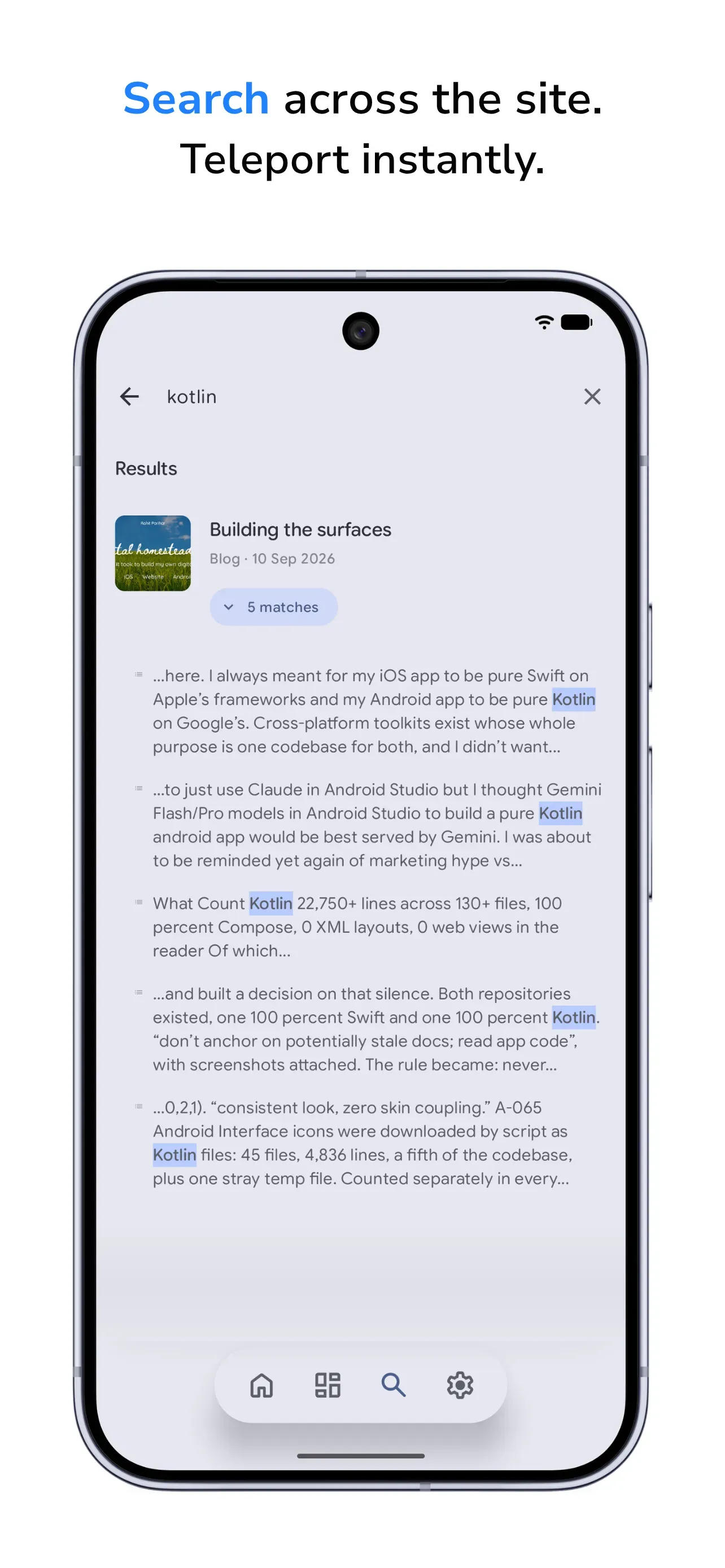
- Search runs on the device alone, down to image captions, table cells and footnotes, and works in airplane mode.
- Reading progress is measured by characters read rather than screens scrolled, so long and short articles should measure honestly.
- The fonts setup allows users to read in their own device’s fonts or a neutral Serif/Sans font. While I can’t always guarantee full formatting coverage as I will be writing in multiple languages, I tried to make the app more accessible despite the range of system font choices manufacturers have made in the Android world.
- Material 3 Expressive colour schemes recolour various parts of the app including the reading surface.
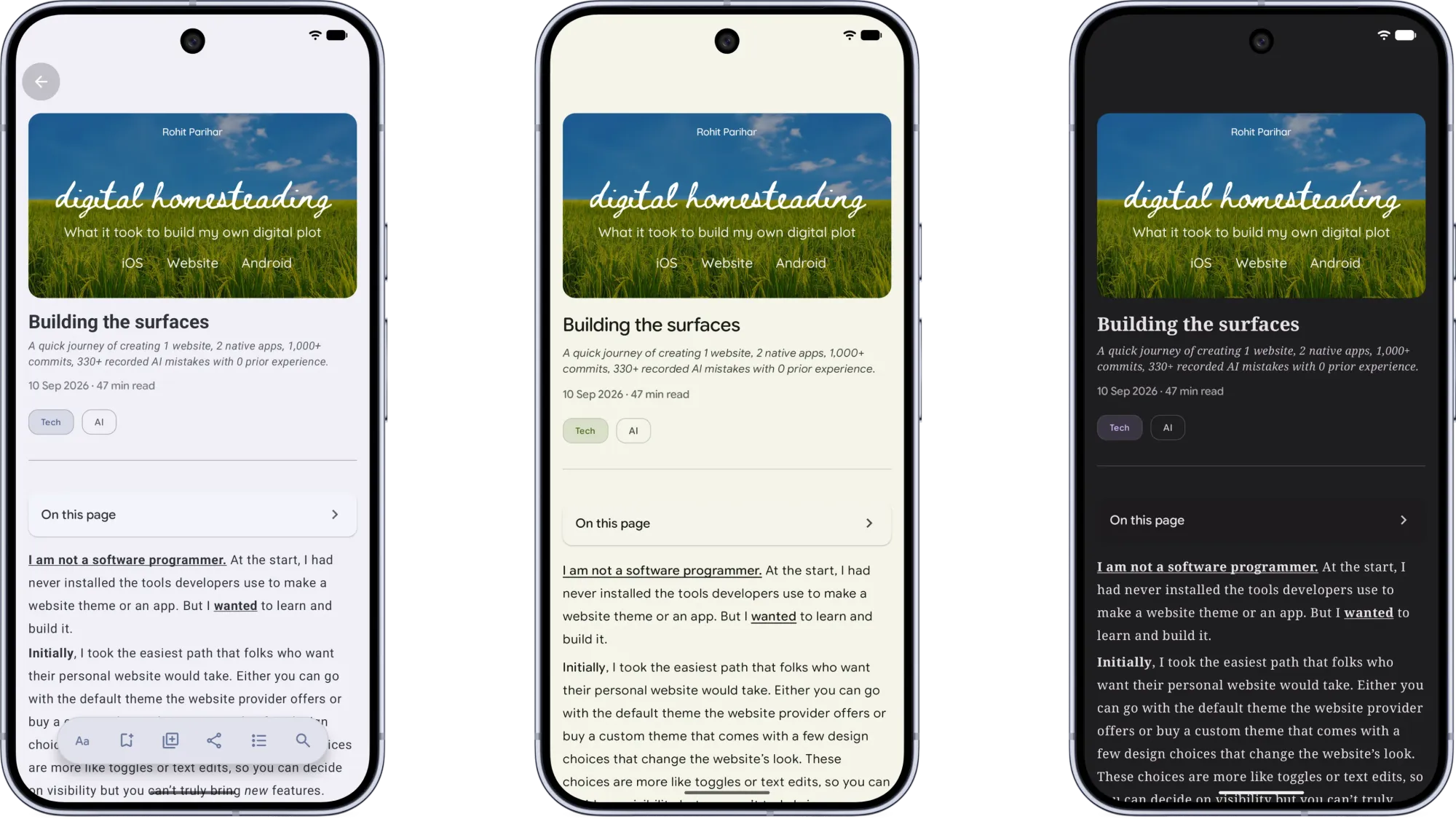
Similar to the iOS app, I haven’t listed many of the Android app’s features like sharing a snippet lets you select only a contiguous run of sentences, and if you trim the ends, the card adds an ellipsis so a quote cannot silently splice distant sentences together. The card preview is the same drawing as the export. For some reason, that quality showcase was a very time-expensive feature for Gemini Pro to understand and build in the app: 18 commits in one day, including one that rolls the whole feature back to a version from earlier the same afternoon. Ultimately, I got it done from 3.7 Flash, rather than 3.1 Pro Preview. Another instance of Gemini being Gemini.
Where it stands
The Android app is mostly finished for its launch version. It renders the whole site natively, works offline, asks for 2 permissions and sends nothing anywhere. What it is waiting for is the Google Play Console account and the closed testing period Google requires.
Numbers · Android, by the numbers
- 290+ commits,
- 6 deliberate merges,
- 48.8 commits per merge,
- largest day 19 commits.
- Prefix breakdown: 95 feat, 79 fix, 23 refactor, 14 style, 5 docs.
- 9 commits touched documentation only (3%).
- 45+ Markdown files, 38,200+ words, almost all written before the documentation stopped.
- 15+ commits mention a revert, rollback or reset (6.1%).
- 60+ unreachable commits in 20 abandoned chains.
- Median commit: 2 files, 40 lines added.
- 24 local branches, 23 merged, mostly fast-forward.
What compounded
Reasoning · Layering learnings
The website was built first so the apps could stand on it. What that leaves out is that each layer made the next cheaper and the whole thing more stable:
- The site’s tagging rule became the apps’ structure. The apps can rebuild channels and sections by selectively using the same tags the site’s routing filters on.
- The site’s single colour table generates the palettes for 3 of its 4 skins and feeds the contrast audit.
- The iOS build produced the Android specification: 11,500 words of behaviour and 10 spec files, so the second platform aimed at parity instead of rediscovering the design. At least, it gave me a head start, and I could create a series of tactical prompts when working in Android Studio with Gemini.
The result is that one edit in Ghost changes noticeable and important things like taxonomy, themes, etc. of both apps with zero releases, and a brand-new functional capability is the only thing that still needs code on three surfaces. This was important to me because it allows me to instantly open up new content and change visual styles based on feedback from friends.
Tech · Same idea, three surfaces
| Capability | Website | iOS | Android |
|---|---|---|---|
| Content types or enrichments rendered | 6 site-side enrichments | about 20 content types | 15+ block types + 1 fallback |
| Visual identities | 4 skins x 2 tones | 3 reading themes | 5 themes + System, site-extendable |
| Content fonts | 1 family, 8 files | 3 | 3, in 5 files |
| Text size control | n/a | continuous | 5 steps |
| Surfaces steered from the site | source of all 11 | about 6 | at least 7 |
| Outside code | 4 inherited libraries, 0 added | 2 libraries | 4 libraries in 8 modules |
| External scripts, analytics, accounts | 0, 0, optional | 0, 0, 0 | 0, 0, 0 |
| Heaviest single file | screen.css, 5,030+ lines | article renderer, about 2,570 | reading screen, 2,460+ |
| Package size | about 630 KB zip | 1 MB code on machine, 7.9 MB on App Store | 1 MB code on machine and 10 MB being fonts |
What kept it stable
The process numbers, side by side, show how the approaches produced different stats.
Tech · Process, three columns
| Measure | Website | iOS | Android |
|---|---|---|---|
| Commits on main | 365+ | 345 | 290+ |
| Verified merges | 55+ | 70 | 6 |
| Commits per merge | 6.6 | 4.9 | 48.8 |
| Working days with commits | 36 | 33 | 31 |
| Largest commits in single day | 41 | 28 | 19 |
| Issues filed / closed / open | 14 / 8 / 6 | 110+ / 75+ / 30+ | 0 / 0 / 0 |
| Session-log entries | decision log (about 150 decisions) + 102 per-task records | 109 | 1, with a fabricated date |
| Documentation-only commits | 105+ (29%) | 75 (22%) | 9 (3%) |
| Written record | 150+ files, about 261,000 words | 15+ files, about 96,000 words, plus 31,000 words of memory | 45+ files, about 38,000 words, abandoned mid-build |
| Documentation to code, by lines | 1.7 to 1 | 1 to 6 | 1 to 8, then stopped |
| Commits mentioning revert, rollback or reset | 30 (8.2%) | 20 (5.8%) | 18 (6.1%) |
| Unreachable commits / abandoned chains | 15 / 9 | not measurable from the clone | 61 / 20 |
| Median commit size | 3 files, 41 lines | 1 file, 20 lines | 2 files, 40 lines |
| Recorded failure stories | 8 | 3, plus 10 do-not-re-attempt entries | 5 |
| AI tools | Claude Code Opus in VS Code + Gemini in Antigravity, cross-reviewing | Claude Code Opus in Xcode, single tool used | Gemini 3.6 & 3.7 Flash + Gemini 3.1 Pro Preview in Android Studio, Architect/Builder |
| Bi-weekly commit cadence | 62, 25, 75, 92, 30, 14, 30, 16, 15, 9 | 54, 70, 38, 35, 3, 55, 41, 44, 5 | 24, 11, 92, 58, 33, 67, 4, 4 |
Reasoning · Why the record was the same act as shipping and made it easier too
On iOS, the sign-off phrase handed the AI a 9-step sequence in which the merge, the verification, the ticket closure and the log entries were steps of one act. I got what I wanted with the paperwork happening in the same beat. On Android, the same forms existed, but the task completed with only the code. Both builds had the process on paper. On iOS, it ran because the sign-off phrase triggered it; on Android, it just didn’t trigger. As I mentioned earlier, I didn’t want to fix that because of the additional costs it would have brought. So, the difference in the documentation depth is down to rationing.
Some traceable things and benefits that the iOS record bought:
- Sessions can resume in minutes. 70 sign-offs, fresh AI instances picking up mid-feature with no recap conversations.
- A crash can cost nothing. One session hung the development environment and died mid-edit while exhausting the usage window. The next session reconstructed the state from the record, found half-finished work, chose to finish it forward rather than roll back, and shipped it the same night. An evening delayed became about twenty minutes of recovery.
- Solved problems can stayed solved. The freeze fix appears as a checked-off constraint 24 times. The one time a documented bug returned, the regression checklist caught it the same session because it says to re-test the specific historical failure when working nearby.
- Decisions can still be defended. For example - the record lists the syntax-colouring approaches evaluated for code blocks and why each was declined.
- Visible restraint. The launch sweep found 1 dead line in 50 files; the decision not to fix it is recorded, so anyone auditing can distinguish “didn’t get to it” from “chose not to, and here is why.”
The iOS comparison is possible only because I kept that record. The Android section had to be dug out of 293 commit messages.
What it cost
Tech · Money and tokens
| Item | Amount |
|---|---|
| Apple Developer Program | $99 per year |
| Google Play Console registration | $25 one-time |
| Ghost hosting | $300 annual |
| Claude subscription (used for both the theme in VS Code and the iOS app in Xcode) | $20 Pro monthly for website, switched to $100 Max monthly when usage limits were being hit too frequently or at the wrong time |
| Gemini API credit for Android | Total $400: $180 for 3.7 Flash, $220 for 3.1 Pro Preview |
| Largest single token spend recorded | about 5 million tokens on one website feature’s first pass, later cut to in-context fixes |
| Visual companion renders during skin design | about 30,000 tokens for one session’s visual feature, against 1,500 to 3,000 for a text-only turn; 16 renders in one session |
| Sessions deferred or cut for token budget | at least 3 recorded on the website: a 3-item backlog parked “to save tokens”, a session that ended before the merge on a low balance, and the enrichment redirection above |
Reasoning · Cost as a decision input
Both the Claude setups in VS Code and Xcode ran on the same fixed monthly subscription. They followed the workflows I wrote, stayed inside their usage limits, and when a session was consuming high amount of tokens, I could see the number and redirect them.
The Gemini setup in Antigravity ran on my monthly Google AI Pro subscription. The Gemini setup in Android Studio ran on API credit, and I bought credits several times because it really consumed tokens without offering stability. Both Flash and Pro lagged past 100,000 session tokens despite a 1 million limit, ignored instructions they had been given in full, and sprang frustrating surprises like Android Studio purged all the chat history when it updated. This pattern of inconsistent behaviour was harder to absorb as I was in a new environment as a beginner trying to design the three systems too. I did not intend to test and measure differences in model intelligence as my focus was on meeting my aim within the budget I had set. On few occasions, Gemini Flash was surprisingly coming up with much better tactical solutions than Gemini 3.1 Pro Preview model.
The costs were affected by how predictably each behaved (Claude being the best at following instructions, workflows and preferences while pausing for my review before making critical assumptions (although not always).
Where the AI was wrong, spun, drifted or wasted
First, why am I even sharing this? I am sharing this mostly as-is to show the back-and-forth that happened when working in such tools for the first time. Obviously, you can’t always know the patterns that can be avoided beforehand. It is a process of learning.
I also want to share that while non-tech individuals can bring high-quality inputs into what a system should be able to do to be valuable to its audience, the craft of creating even half-decent surfaces and apps isn’t so easy for non-tech folks, even with AI. The discipline and art/experience required to build such surfaces still can’t be so easily disregarded just because you have AI.
Also, AI can be incredibly inefficient, frustrating, wrong and inconsistent in its approach and responses, even in the most mundane tasks. Unless you have a strong usage plan, I seriously doubt most people with a non-tech background/experience will be able to get anything functional out of their ideas. The usage can get eaten up quickly within a few minutes. And inevitably, you will find yourself reaching for the higher-tier models.
While I can certainly say that the technology is truly excellent in its ability to drastically lower the entry bar for coding, the fundamental ways in which a person (tech or non-tech) could start to build software haven’t changed and people still need to pay attention to their structures.
How did I count these and how to read the rows in the tables below: I can list these because my workflow recorded them. Each row is a moment the AI was wrong, stuck, drifting or wasteful, with the numbers that were recorded because I had it set up to check whether a rule, a stop, or a redirect is needed whenever it found a tendency or pattern in failures or issues. The curated rows here are the ones with the strongest numbers, grouped by failure type, because the same kinds recurred across three different AI setups. The website count is highest for two reasons: two AIs cross-reviewing each other generated a written verdict for every miss, and the website’s record is the thickest. Android’s count is lowest because its record is thinnest; the reflog and commit log are most of what survives.
Tech · The count of problems by category and platform
| Kind of failure | Website | iOS | Android | Total |
|---|---|---|---|---|
| A. Wrong assumption or invented fact | 48 | 22 | 13 | 83 |
| B. Spinning on a fix | 17 | 23 | 15 | 55 |
| C. Scope drift, unasked changes | 18 | 8 | 5 | 31 |
| D. Record or status drift | 17 | 13 | 9 | 39 |
| E. Token, cost, quota, context waste | 8 | 5 | 5 | 18 |
| F. Verification gap, claimed done, was not | 25 | 22 | 9 | 56 |
| G. Bad trick or fragile workaround | 12 | 7 | 6 | 25 |
| H. Tooling or platform friction | 12 | 11 | 4 | 27 |
| Total | 157 | 111 | 66 | 334 |
A. Wrong assumption or invented fact
| Ledger | Platform | What happened |
|---|---|---|
| A-001 | Android | The first 19-commit foundation was audited against the specs and found to carry 3 critical, 3 major and 2 minor structural defects: the feed bypassed the database, navigation lost your place, rich content fell through to “Unimplemented block type”. The AI had “aggressively summarised” the specs it had been given in full. |
| W-002 | Website | The AI stated twice that “no Android app exists in any of your docs” and built a decision on that silence. Both repositories existed, one 100% Swift and one 100% Kotlin. |
| W-004 | Website | A fix for issue #10 was built on 2 false premises written into the issue’s own body: that commenting was disabled in admin, and that minified class names made any selector impossible. 59 readable handles survived minification. |
| I-006 | iOS | Moving to Swift 6 was sized at about 12 errors. Xcode showed 1 warning against 11 expected, the build aborted at 5, and the true total was 27 errors across 9 files. |
| W-041 | Website | The Pastel skin’s first phase used compound selectors on attributes that live on different elements, so no page ever matched and every page fell back to one peach colour. Bugs P6, P7 and P11 came from one missing space. |
| W-022 | Website | 4 button and form bugs in one session came from shared colour variables edited without tracing their consumers: one alias flipped button text near-black in dark mode, one button inherited an arbitrary section colour. |
| A-013 | Android | The generic-feel audit found 15 hard-coded colours, 4 static top bars and no shared transitions, against a written design spec. The correction took a 4-phase roadmap, 6 documents, 3 commits and 3 corrections. |
| I-018 | iOS | An image-format saving was reported from a stale measurement. The true figure, only after a clean build, was 598 KB to 155 KB, a 74% cut. |
| A-010 | Android | A new sync routine purged the active pages (hero, status line, About, configuration) as stale. The fix was 14 lines. |
| A-005 | Android | The very first attempt’s rules forbade invented APIs and still left zero usable code: 17 files, 615 lines added, 109 removed, 3 amends, then a reset. |
B. Spinning on a fix
| Ledger | Platform | What happened |
|---|---|---|
| A-015 | Android | The quote share card consumed 22 commits on one file in one day (18 kept, 4 discarded), a 263-line rewrite over 230 lines, across 3 generations of a branch, including a rollback to a version from earlier the same afternoon. |
| A-019 | Android | A font-simplification branch ran to 21 commits (8 clean-ups, 7 enforce-and-restore commits) and was abandoned whole. The replacement was 2 commits: one of 103 lines and one of 1 line. |
| W-053 | Website | The Glass skins dark hover took 7 review rounds and 16 commits. A hover bug survived rounds 1 to 3; round 4’s fix produced a flat grey “looks clicked” block; round 5 corrected round 4. |
| A-018 | Android | Changing colour theme mid-article reset the scroll position. 12 attempts in one day, 4 of them reset away, then 2 more for the saved and reading-list screens. |
| A-022 | Android | The Continue Reading overlay went through 15 commits (3 discarded); a modal sheet was replaced by a container-transform card, 215 lines in, 192 out. |
| A-023 | Android | The image lightbox took 14 commits on one component: an 891-line first commit, then rewrites of 218 over 189 lines and 96 over 339. |
| I-023 | iOS | A portrait-image corner bug took 5 failed attempts before the approach changed; attempt 4 broke the correct portraits on a different screen. |
| W-056 | Website | A collection-adaptive tint was tried with 2 delivery mechanisms across 4 commits on a branch 16 commits ahead of main; both failed identically. The record calls it “the bug that ate about 3 sessions”. |
| A-014 | Android | Prompt 3 took 12 commits including 2 with identical subjects, one reverting the other, and 25 deleted lines to remove one duplicate title. |
| W-061 | Website | A label feature failed 4 of 7 checklist items on its first retest, took a 7-commit redo across 4 files, and the whole suppression subsystem was then deleted in favour of always showing labels. |
| A-017 | Android | A shared-element transition took 6 commits touching 10 files and 305 lines, then a revert deleting 93 lines with a regex script. |
| I-027 | iOS | Restoring the swipe-back gesture after a custom back button failed 3 probes. The working fix overrides one of 2 recognisers across 3 navigation stacks. |
| W-052 | Website | 3 navigation icons were re-swapped across 7 commits and 3 zip round-trips (“too thin”, “hollow”) when a one-line runtime call could have previewed them live. |
| W-055 | Website | The Glass skin’s light mode went through 5 build tasks, 2 briefs to the second AI, and 6 renders of 3 options; all rejected. |
| W-054 | Website | A breadcrumb over-built across rounds 5 to 7 with a sheen gradient, a ring and a highlight; round 5’s edits did nothing because of a specificity tie. |
| I-040 | iOS | Tag-chip opacity was adjusted 5 times (0.6, 0.7, 0.8) on a 16-commit branch. |
| W-060 | Website | A homepage status line took 4 review rounds and 5 fix commits; round 3 guessed a tag mismatch that did not exist; round 4 found a template guard that is always false. |
C. Scope drift and unasked changes
| Ledger | Platform | What happened |
|---|---|---|
| W-075 | Website | The second AI rebuilt a navigation bar “simplified”, dropped 4 proven fixes, spent the setting budget to 20 of 20, uploaded it, and then found 4 regressions. |
| W-079 | Website | A mechanical rename of 2 collections came back with an inflated time estimate, a paragraph questioning the names, and questions in prose rather than in the dialog. Actual work was a fraction of the estimate. |
| W-080 | Website | Merge, push and rebuild were offered as the recommended next step before I had seen anything. |
| W-073 | Website | A hover effect approved as CSS was implemented as a global mouse-move handler running layout queries on every card on every move. |
| I-052 | iOS | Small tasks returned with 3 nearby “improvements” I had not asked for. |
D. Record or status drift
| Ledger | Platform | What happened |
|---|---|---|
| A-035 | Android | The AI’s own status file stayed at “Step 5: Resume Master Plan” while 130 of 293 commits (44%) landed after documentation stopped changing. |
| A-039 | Android | The transplanted workflow legislated tickets, pull requests and a lessons registry. Reality: 0 issues, 0 pull requests, 6 merges in 293 commits, 1 lessons entry, 1 tracker row with a fabricated date. |
| W-085 | Website | The icon map had grown to 134 keys with 89 dead aliases and 10 duplicate logos. Pruned to 24, one per visible menu row; the bundle shrank from 119,329 to 110,403 bytes. |
| I-057 | iOS | The memory index reached 35.9 KB against a 24.4 KB budget and the briefing 32.4 KB; both were silently truncated on load. Rewritten to 3.3 KB and 2.5 KB. |
| I-059 | iOS | At launch, the memory index was 31,999 bytes with a single head line of about 20,000 characters, past the load limit the lean-index rule was written to prevent. |
| W-094 | Website | The README claimed the routing file lived in the repository root; a frozen pre-migration routes file was about to be trusted; the changelog’s first line still named the old commercial theme. |
| W-084 | Website | The contrast check flagged 2 parked pill colours (3.93 and 4.41 against 4.5) as “worth its own issue”, contradicting a note that said verbatim “Do NOT surface this for owner attention.” |
| W-101 | Website | A 600-plus-line changelog was being reconstructed every session and produced 3 stale-fact actions. |
E. Token, cost, quota and context waste
| Ledger | Platform | What happened |
|---|---|---|
| W-103 | Website | One feature’s first pass cost about 1.1 million tokens: review packages bundled minified build output and source maps (about 1.9 MB per reviewer), 20 commits, 13 unmerged, and 6 issues found on the live site anyway. |
| A-047 | Android | The reflog holds 61 unreachable commits in 20 abandoned chains (a 21-commit chain and an 11-commit chain among them), 4 history resets and 3 deleted branches, on top of 79 fix commits that survived. |
| A-043 | Android | Both Gemini models lagged heavily after a session passed about 100,000 tokens, on a stated 1 million limit and the higher Tier 2 billing, across two generations of each model. |
| W-105 | Website | Visual renders during skin design cost about 30,000 tokens per session against 1,500 to 3,000 for a text turn; about 16 renders in one session. |
| W-102 | Website | A 3-item backlog was parked “to save tokens”; a later session ended before its merge on a low balance. |
F. Verification gap: claimed done, was not
| Ledger | Platform | What happened |
|---|---|---|
| W-114 | Website | 14 section addresses had been redirecting to themselves with a long-lived cache header since an early task. Every verification had followed the redirect past the bug, and the cached responses could not be recalled from visitors’ browsers. |
| W-119 | Website | The second AI’s evidence claimed both code-injection boxes had been wiped. The running database still held 2,939 and 5,319 characters in them. |
| A-049 | Android | A sprint delivery of 19 files and 3,194 lines shipped a Save button that never persisted anything. |
| A-048 | Android | A commit titled as steps 1 to 4 of the rescue complete (38 files, 1,181 lines in, 819 out) admits in its own message “still several gaps in functionality and UX”. |
| W-115 | Website | A sort function appended nodes inside an observer watching those same nodes: an infinite loop on every page during the 100-post preload. The browser showed “Page Unresponsive”. |
| W-126 | Website | A gate said “no rebuild needed”. The shipped zip carried a stale build, so the new font reached 2 logo elements and nothing else, and 3 issues surfaced after upload. |
| W-117 | Website | A hand-off marked “locally verified” contained a self-referential CSS variable that broke 23 consuming rules, and wired the admin background colour into the token dark mode uses for text. |
| W-121 | Website | After a zip upload, 4 functional regressions appeared that the build’s 4 phases had not caught. |
| W-122 | Website | A sidebar task passed its gate; the next task logged 6 sidebar bugs. |
| W-113 | Website | A guard script scanned for words instead of executing the code it guarded; the first real edit broke the live dropdown it was meant to protect. |
| I-088 | iOS | On the iPad’s two-column layout, a long-press hit the wrong card, inside an 11-commit epic that had been signed off. |
| W-150 | Website | The build tool defaulted to text encoding and corrupted every binary asset in every zip ever shipped, inflating fonts and images about 1.81 times. Found only during a font trial. |
G. Bad tricks and fragile workarounds
| Ledger | Platform | What happened |
|---|---|---|
| W-138 | Website | A sidebar task added about 100 !important declarations against the written principle; later skin work kept reaching for 5-deep specificity stacks. |
| A-057 | Android | Bold text in a variable font was faked: one weight for all 9 weights, with grade and slant parameters standing in for bold. Fix: 151 lines in, 138 out. |
| W-050 | Website | The same layout bug was patched independently in 3 skins across 3 sessions. The base fix was a net 4 lines removed. |
| W-049 | Website | A call-to-action restyle took 3 rounds because of a specificity fight (0,1,1 against 0,2,1). |
| A-065 | Android | Interface icons were downloaded by script as Kotlin files: 45 files, 4,836 lines, a fifth of the codebase, plus one stray temp file. |
H. Tooling and platform friction
| Ledger | Platform | What happened |
|---|---|---|
| W-155 | Website | Two AIs ran against one working directory and one switched the other’s checked-out branch mid-session. |
| W-152 | Website | The development server held connections open, so headless browser renders hung in every mode, for both AIs. |
| I-068 | iOS | The memory index has a hard load limit of about 24 KB; content past it is dropped without any warning. |
| W-149 | Website | The theme validator fails any setting description over 100 characters, undocumented; a first draft was 118. |
| A-064 | Android | Updating the IDE purged the AI chat history, taking most of the reasoning record with it. |
The general points that came out of building these surfaces
This is a general checklist I would hand to anyone, under a limited budget, starting a build they cannot personally perform.
- If you can, try the buy path before you build. The build decision was earned by 1,900 lines of customisation across 19 files of a bought theme and one upgrade that surfaced 7 undocumented changes.
- Own the structure other things depend on. The site’s routing page and 6 content contracts are what let two apps be steered with zero releases.
- Set the fallback before or with the feature. The coming-soon rule on both apps (about 20 content types on one, 17 plus 1 on the other) is why the reader could ship those features in stages while not looking broken. Include a fallback message for any feature that needs a fail-safe message.
- Two failures can mean a missing rule. 22 rules on iOS, each written after a specific incident; 10 of them are do-not-re-attempt-when or do-not-re-attempt-as-long-as entries.
- Fix an attempt limit and honour it. YouTube stopped at 4 approaches. The portrait bug stopped at 5. The website’s tripwire was written as “attempt 1 of at most 2, then fall back to the simple model.”
- Make the record the same act as shipping. 109 log entries and 78 closed tickets where the record was a sign-off step; 1 entry and 0 tickets where it was a separate duty.
- Fresh eyes can beat another round. The tint bug ate 3 sessions and 2 rewrites on one AI and was diagnosed in 1 pass by the other from the live page.
- Do not accept ‘verified’ without the proof artefact. An evidence file that said “injections emptied” was contradicted by 2,939 and 5,319 characters still in the database.
- Treat tokens as money. Be mindful of how many tokens are being used. Reduce tokens while increasing quality by not being vague and thinking through scope of every ask in every instance.
- Build what is feasible and propose/phase the rest. The 34 open tickets on iOS are the phased plan written down.
What can you carry into a team
I kept thinking about this as a work problem too. An AI assistant behaves like a capable contractor with no memory. It is fast and confident and does not instinctively care if it cannot remember what it agreed to yesterday. Teams can have the same problem with rotation, leave and handover, and they solve it with written structure. The table below provides a very high-level map of what I did to what a team could do, with the number from this build that earned each row. Of course, what is needed for your team depends very much on your goals and the state of your environment.
| What I did on the build | Team or function equivalent | The numbers I encountered that justified the row |
|---|---|---|
| A 9-step sign-off where the record is a step of shipping | Definition of done includes the documentation, enforced by the workflow, not by reminders | 109 log entries against 1 phrase |
| Tickets with an explicit out-of-scope section | Written scope before work starts, with what is excluded named | 112 tickets; scope creep caught at gate on the website in 3 separate tasks |
| A do-not-re-attempt registry | A living list of known dead ends that every newcomer reads first | 10 entries; 1 freeze bug that never returned, checked 24 times |
| Cross-review between two independent AIs before merge | Peer review by someone who did not build it, with a written verdict | 7 audit files; 4 must-fix and 6 recommended on one task alone |
| A short briefing that always loads completely | A one-page onboarding that is actually read, over a thorough one that is skimmed | 438 words; the long index silently truncated past 24 KB three times |
| Verify premises before building on them | Check the assumption in the brief before acting on it | 3 false premises found in bodies of 2 issues; e.g. “no Android app exists” asserted twice while both repos existed |
| Smallest reversible change, then test the neighbours | Change management sized to the blast radius | Median iOS commit of 1 file and 20 lines; 20 reverts in 345 commits |
| Attempt limits with a written stop | Time-box the fix, escalate with the record, do not push a sixth try | 4 approaches, 5 attempts, “at most 2” |
| Cost tracked as a decision input | Tool and vendor choice on predictability under process, not on demos | 1.1 million tokens on one pass; multiple rounds of API credit on one platform |
| Functionality first, cosmetics, if undecided, parked as tickets | Ship the working thing end to end, schedule the polish | An animation that took 3 attempts while the feature waited; a nav bar rebuilt “simplified” that dropped 4 proven fixes |
| One source, many surfaces | A single system of record with consuming surfaces that read from it, not copies of it | 11 surfaces changed from one place with 0 releases |
| Different tools need different control loops | Do not transplant a process onto a new team or tool without rewriting it for how that tool actually fails | Same forms, 0 tickets; rewritten as capital-letter constraints, 21 prompt-named commits that shipped |
Where it stands today
The website is live at rohitparihar.com. The iOS app is on the App Store. The Android app is built and works but would need to undergo Google’s mandatory testing period for few weeks and I would need 12 testers who frequently interact with the app during that period.
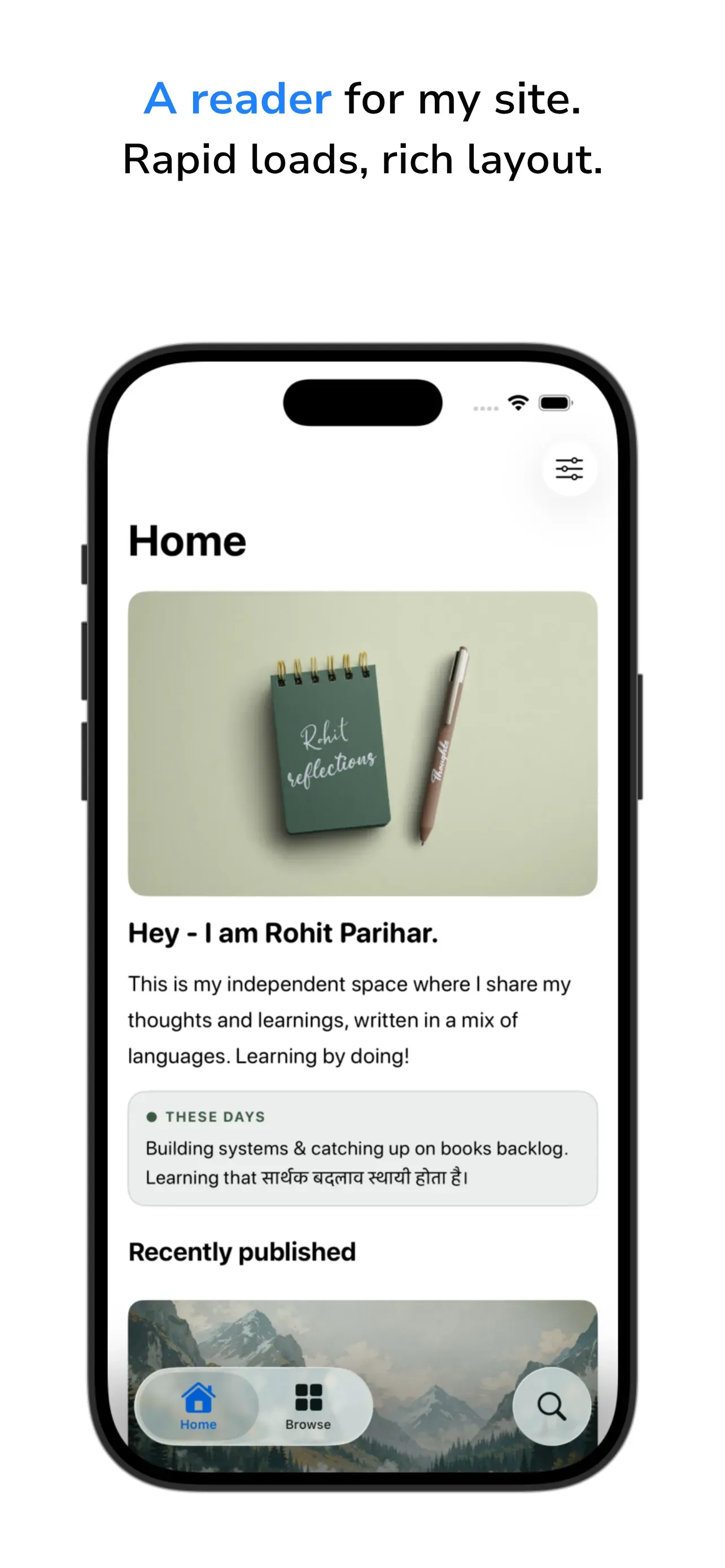
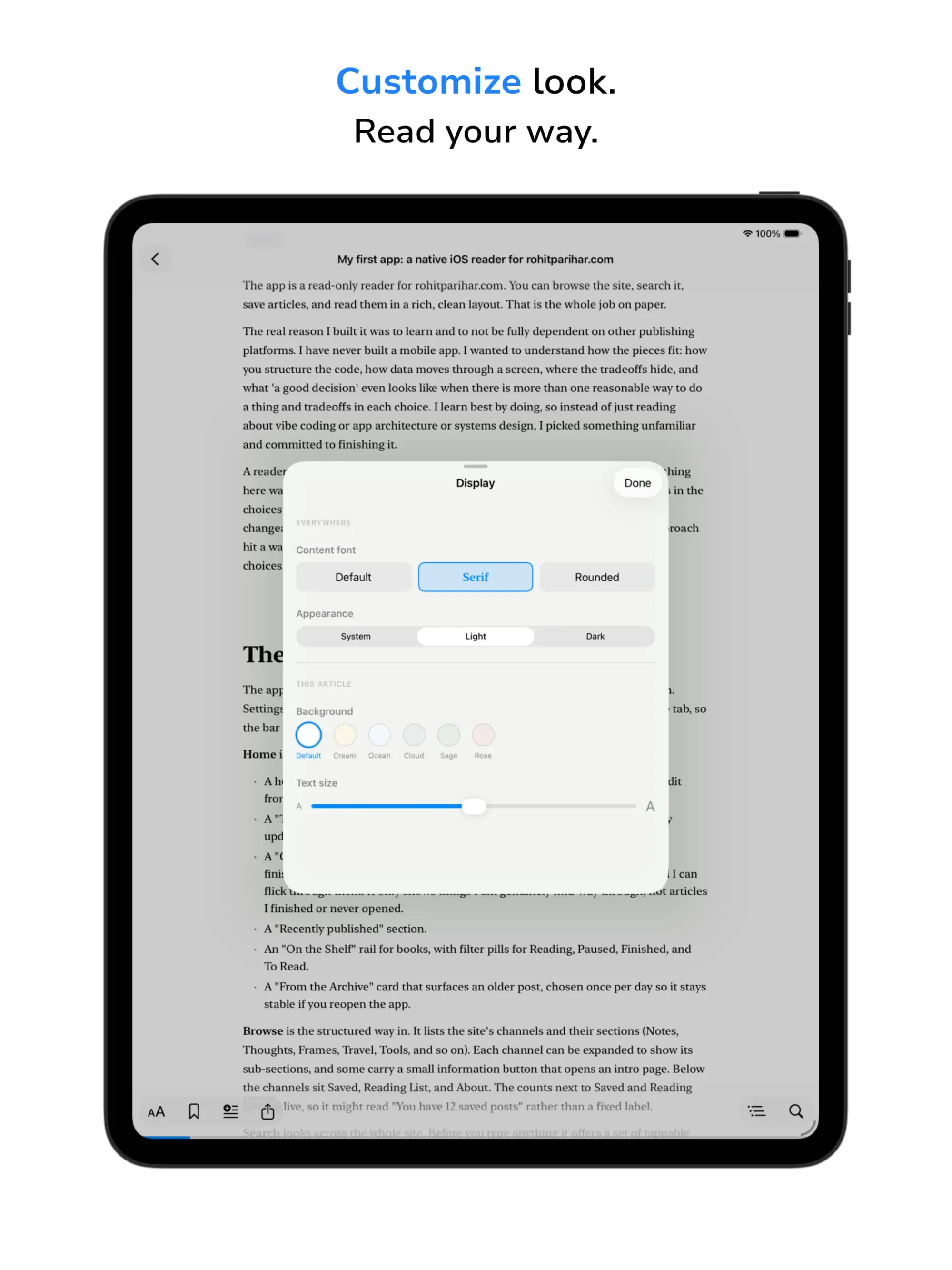
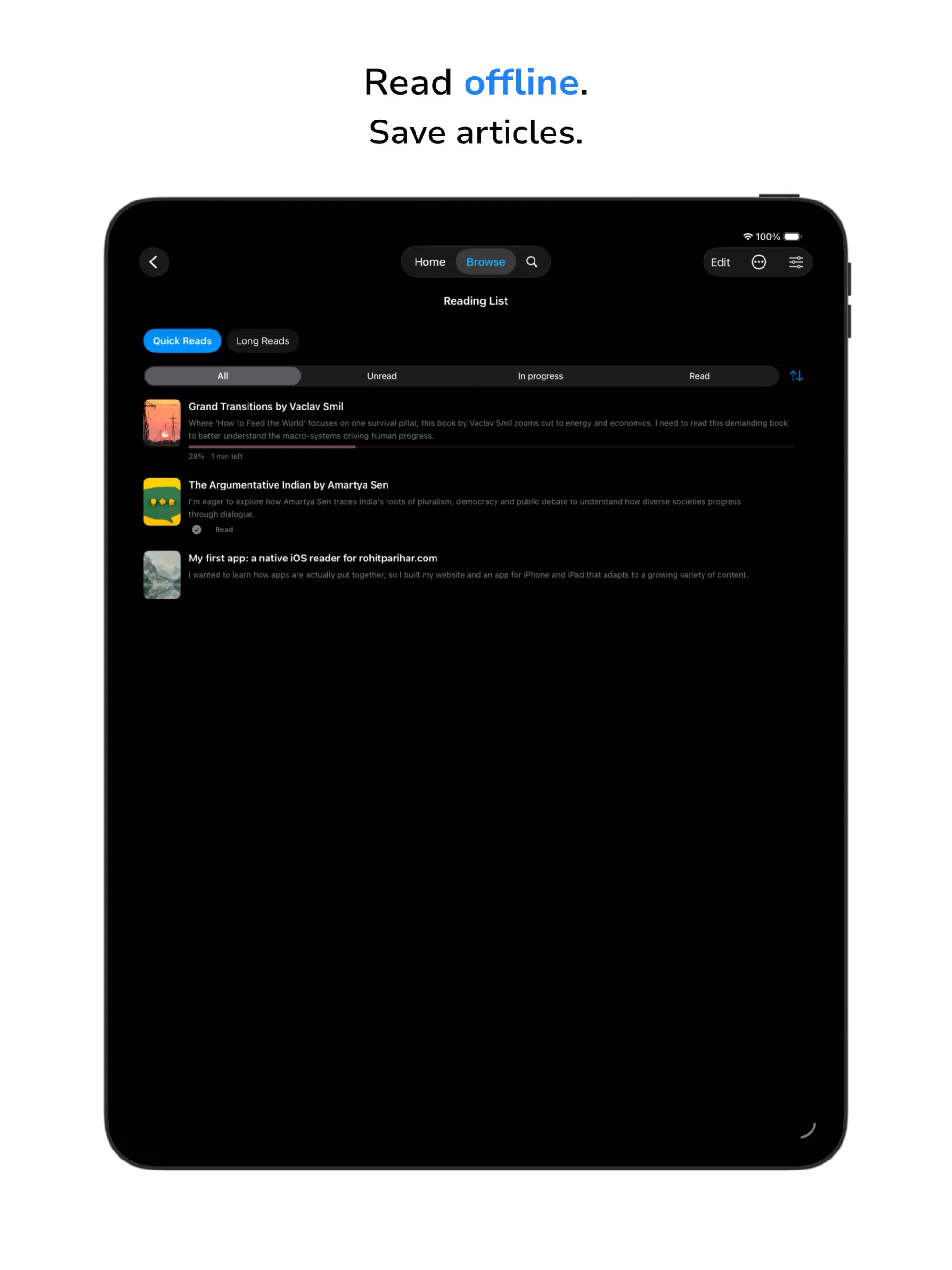
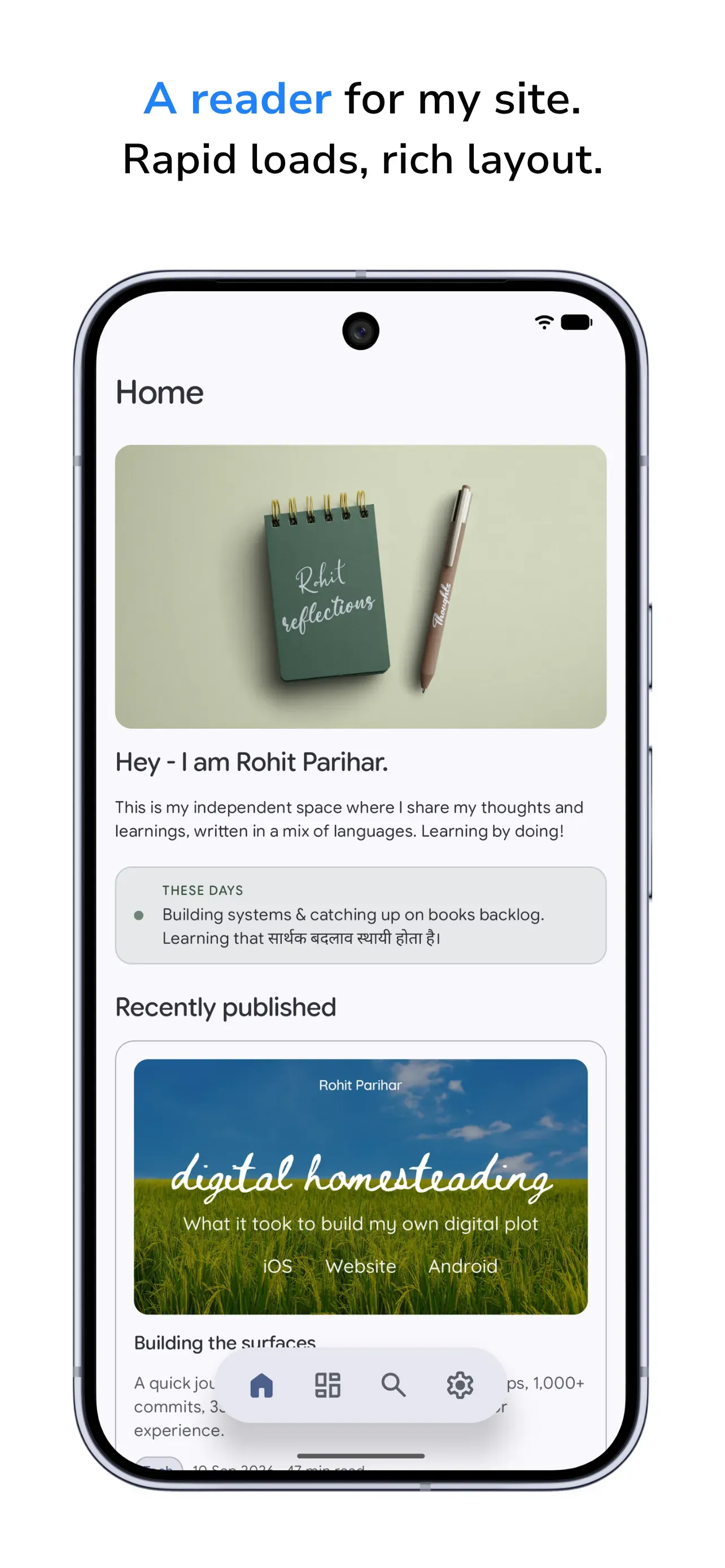
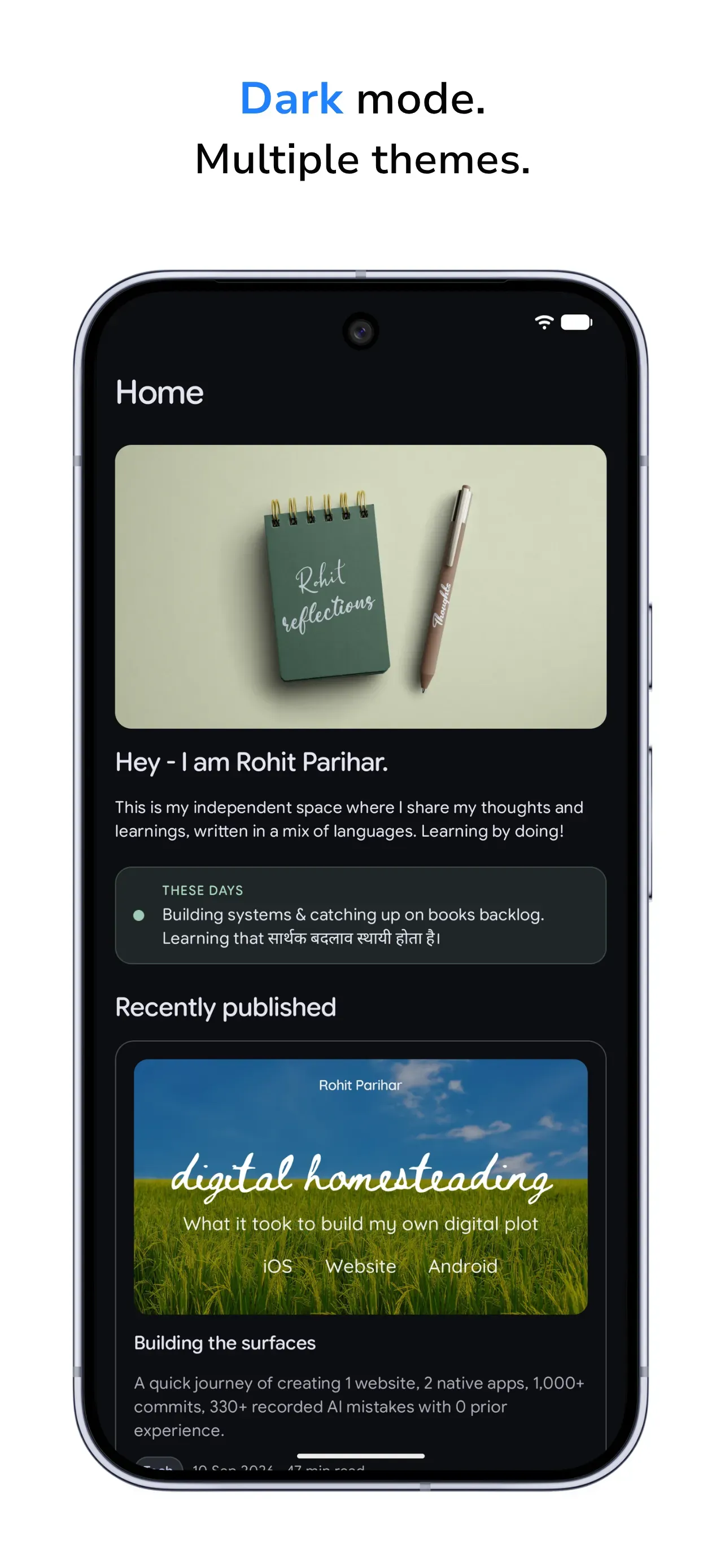
Below, I am sharing a few screenshots from the apps that I had created for the store submissions.
iOS app screenshots
iPad app screenshots
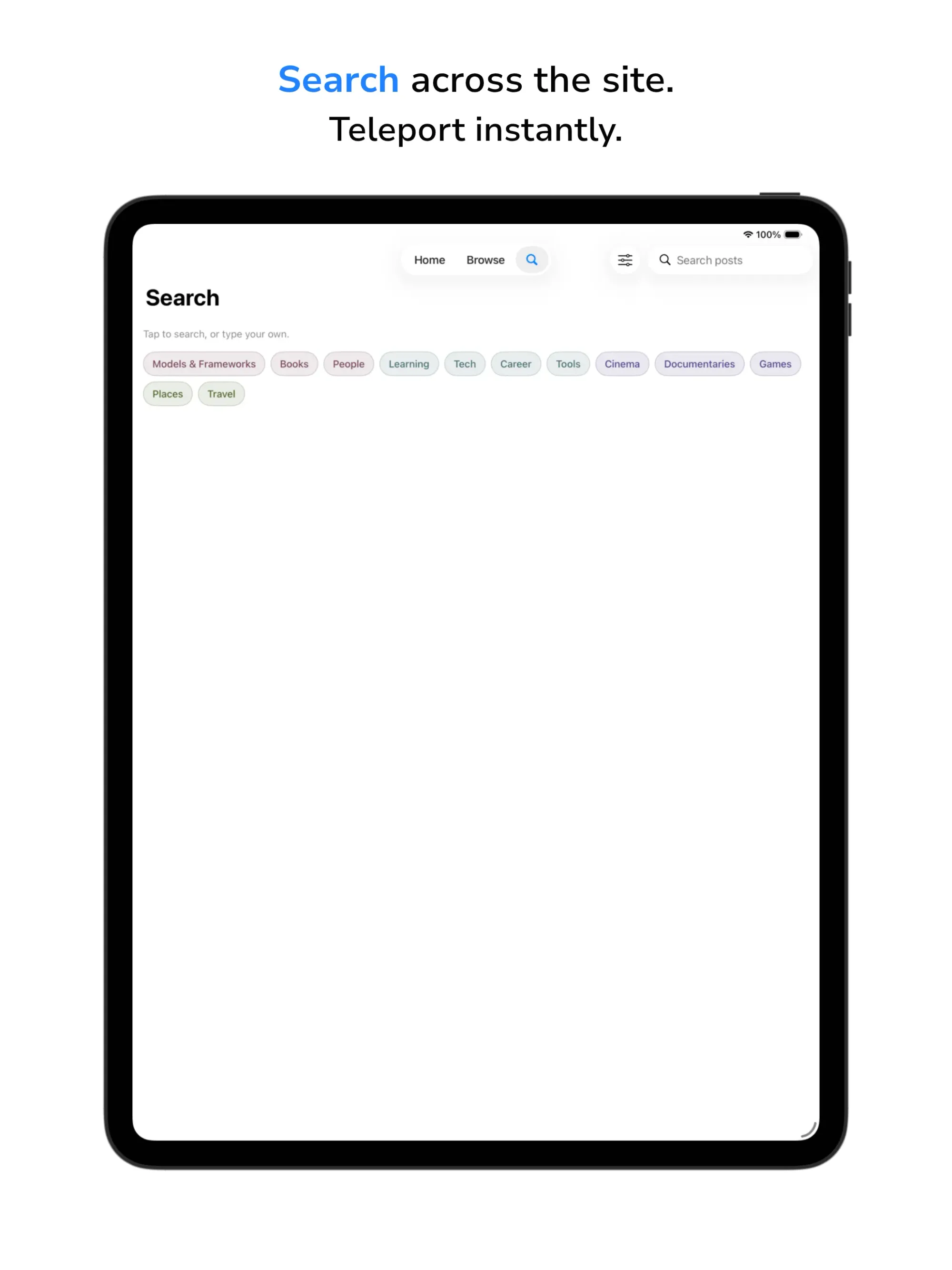
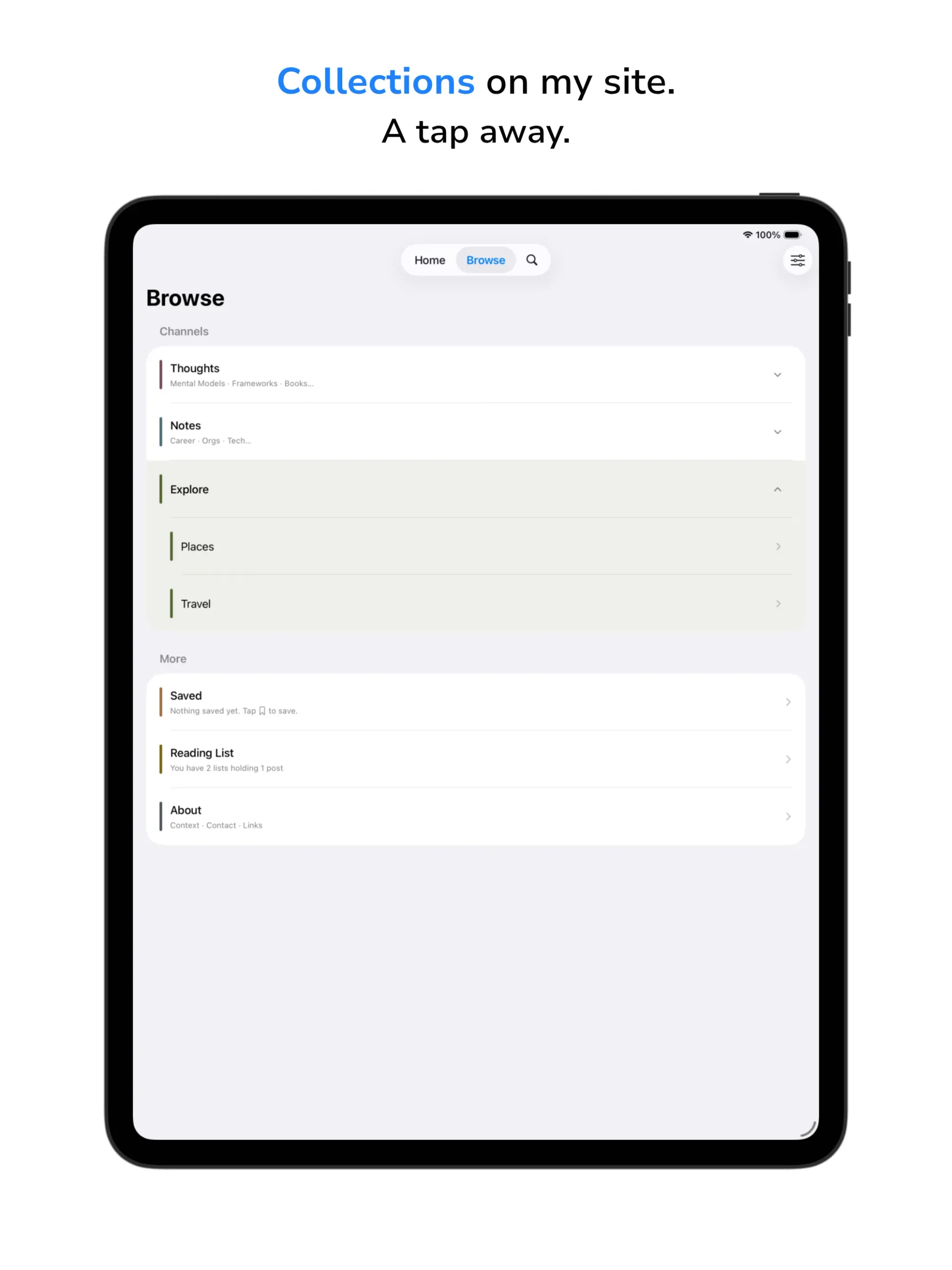
Android app screenshots
Thoughts at this point
AI is certainly powerful in creating systems if you observe the patterns and learn and adjust along the way. It is as much a mindset shift and alignment as much as grit in getting things done if you don’t want to one-shot it. I could not write a line of any programming language when I started. And nearly all of the interfaces of these systems were an alien language to me. I still don’t understand most of the programming languages used and I can’t say with complete certainty whether big opportunities still exist in refactoring pockets or swathes of the codebases. Although I have run such checks and it has been concluded by each AI that the code is efficient given the environment it is meant to operate in, I am also reminded and aware of how many times I have had to steer and correct the AI to adopt a proper solution.
All along the way, I’ve been imagining how the learnings from my experience and the mindset I approached my projects with could be applied to teams to enhance both the quality and efficiency of their work. HR and HR Technology teams can really benefit from adapting how they get work done. I am planning to write on that.
I am also planning to write on how you can use AI to get started with building systems you have wanted to build. I’ll update this article to include those links when they are done. Most of the articles will be for non-tech people.
Now that the surfaces are relatively stable, I can focus on sharing my content.








)
)
)
)
)
)
)
)
)
)

)
)
)
)
)
)
)
)
)
)
)
)
)
)
)
)
)
)
)
)
)